- Big idea: Great admin work comes from systems, not hustle, so you stay proactive instead of constantly firefighting.
- Core skills: Prioritize what matters, keep information instantly retrievable, and document repeatable processes so nothing slips.
- Tools that matter: Get truly fluent in the office suite, add role-relevant platforms, and use automation to cut repetitive work.
- Calendar mastery: Protect high-value time with blocks and buffers, resolve conflicts with clear priorities, and act as a smart gatekeeper.
- Optimization habit: Batch similar tasks, track time and bottlenecks, then automate, delegate, or eliminate work that does not add value.
The Foundation of Professional Excellence
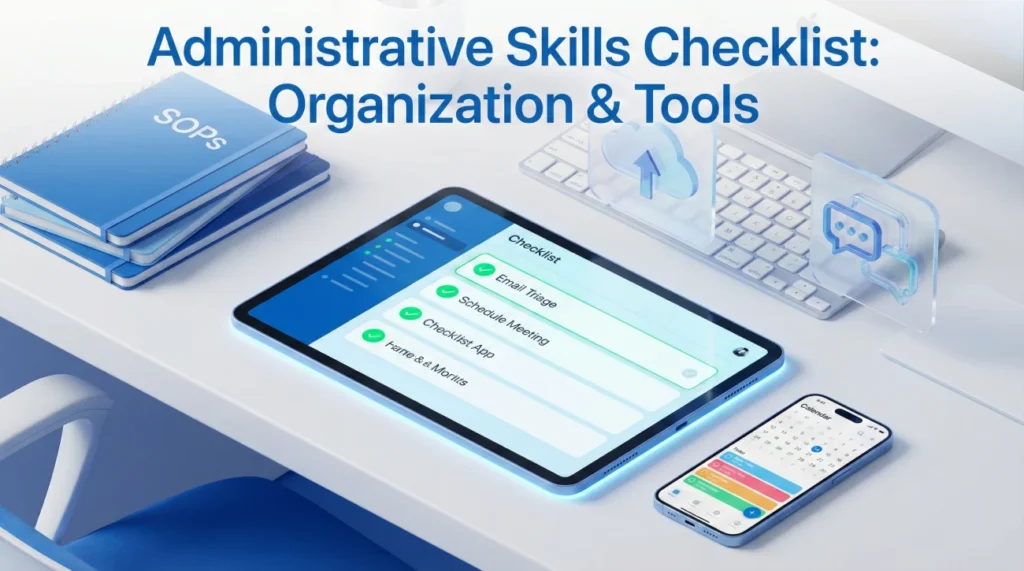
An effective administrative skills checklist distinguishes genuinely organized professionals from those who merely appear busy. Strong administrative capabilities mean more than checking tasks off lists – they require systematic approaches to information management, proactive anticipation of needs, and seamless coordination across multiple stakeholders. Yet many administrative professionals develop habits organically without examining whether their methods actually optimize efficiency or simply perpetuate familiar patterns.
The challenge intensifies because administrative excellence demands balancing competing priorities without dropping critical items. You manage multiple calendars while fielding urgent requests, maintain filing systems while processing new information, coordinate complex projects while handling routine tasks. Reactive approaches where you address whatever seems most urgent create constant firefighting rather than controlled productivity.
This guide establishes systematic administrative competencies enabling professional excellence. You’ll learn core organizational skills that translate across industries, productivity tools streamlining routine work, calendar management techniques preventing scheduling chaos, and workflow optimization strategies ensuring nothing falls through cracks despite competing demands.
Core Organizational Competencies
Fundamental organizational skills form the foundation for all administrative work, regardless of specific role or industry context.
Priority Management and Task Sequencing
Effective administrators distinguish between urgent and important, allocating time strategically rather than simply reacting to loudest demands.
| Priority Category | Characteristics | Management Approach |
|---|---|---|
| Urgent & Important | Deadlines today, crisis situations, executive requests | Handle immediately, communicate progress, don’t sacrifice quality |
| Important but Not Urgent | Strategic projects, relationship building, process improvement | Schedule dedicated time, protect from interruptions, advance incrementally |
| Urgent but Not Important | Interruptions, some emails, minor requests | Delegate when possible, batch process, set boundaries |
| Neither Urgent nor Important | Busy work, excessive meetings, time-wasters | Eliminate or minimize, question necessity, say no diplomatically |
💡 Pro tip: Start each day identifying your top three priorities before opening email. This proactive focus prevents reactive drift where urgent-but-unimportant items consume attention meant for genuinely important work. Protect morning hours for high-value tasks requiring concentration.
Information Organization and Retrieval
Administrative professionals manage enormous information flow. Strong systems enable instant retrieval without mental burden of remembering where everything resides.
- 📁 Digital filing systems: Logical folder hierarchies, consistent naming conventions, version control
- 📧 Email management: Zero inbox methodology, folder/label systems, automated filtering
- 📋 Document templates: Standardized formats for routine communications, reports, presentations
- 🔍 Search optimization: Tagging systems, metadata use, searchable file names
- 🗄️ Archive protocols: Regular purging of outdated information, secure storage of historical records
Process Documentation and Standardization
Documenting routine processes enables consistency, facilitates delegation, and prevents errors when handling infrequent tasks.
| Documentation Type | Purpose | Key Elements |
|---|---|---|
| Standard operating procedures | Ensure consistent execution of routine tasks | Step-by-step instructions, screenshots, troubleshooting tips |
| Checklists | Prevent omissions in multi-step processes | Sequential items, verification points, completion tracking |
| Contact directories | Quick access to vendor/stakeholder information | Names, roles, contact methods, preferred communication channels |
| Reference guides | Quick answers for frequently needed information | Policies, codes, procedures, approval authorities |
Expert advice: When you find yourself searching for the same information repeatedly or explaining the same process multiple times, create documentation. Five minutes documenting saves hours of future searching and enables you to delegate tasks confidently. Strong administrators build knowledge bases incrementally rather than scrambling during absences.
Essential Productivity Tools
Modern organization tools admin professionals leverage technology strategically to automate routine tasks, streamline coordination, and reduce manual effort.
Core Software Proficiency
Certain tools appear across virtually all administrative roles, requiring strong proficiency rather than basic familiarity.
- Microsoft Outlook or Google Workspace: Email management, calendar coordination, task lists, contact management
- Microsoft Excel or Google Sheets: Data organization, budget tracking, reporting, basic analysis
- Microsoft Word or Google Docs: Document creation, formatting, collaboration, version control
- Microsoft PowerPoint or Google Slides: Presentation development, visual communication, executive briefing materials
Specialized Administrative Tools
Beyond core office suite proficiency, many administrative roles require expertise with specialized platforms.
| Tool Category | Common Platforms | Primary Use Cases |
|---|---|---|
| Project management | Trello, Asana, Monday.com, Microsoft Project | Task tracking, timeline management, team coordination, milestone monitoring |
| Communication | Slack, Microsoft Teams, Zoom, WebEx | Team messaging, video conferencing, screen sharing, channel organization |
| Scheduling | Calendly, Doodle, Microsoft Bookings | Meeting coordination, availability sharing, automated scheduling |
| File sharing | Dropbox, Google Drive, OneDrive, SharePoint | Document collaboration, version control, secure sharing, cloud storage |
| Expense management | Expensify, Concur, QuickBooks | Receipt tracking, reimbursement, budget monitoring, reporting |
| CRM/Database | Salesforce, HubSpot, Airtable | Contact management, relationship tracking, data organization |
Don’t claim expertise with tools you’ve only used casually. Interviewers often test claimed proficiency through practical exercises or detailed questioning. Instead, demonstrate learning agility by discussing how quickly you’ve mastered new platforms and your systematic approach to technology adoption.
Automation and Efficiency Features
Advanced administrative professionals leverage automation features within standard tools to eliminate repetitive work.
- ⚙️ Email rules and filters: Automatic sorting, priority flagging, folder distribution
- 📅 Calendar templates: Recurring meetings, standard agendas, automated reminders
- 📝 Quick parts and snippets: Reusable text blocks for common responses
- 🔄 Workflow automations: Zapier, IFTTT, Power Automate for cross-platform integration
- 📊 Report templates: Pre-formatted spreadsheets with formulas, pivot tables, dashboards
Advanced Calendar Management
Superior calendar management skills separate adequate administrators from exceptional ones. Calendar coordination requires strategic thinking, not just slot-filling.
Strategic Scheduling Principles
Effective calendar management balances multiple competing needs while protecting time for high-value activities.
| Scheduling Principle | Implementation | Benefit |
|---|---|---|
| Time blocking | Dedicate specific blocks for categories: meetings, focus work, email, admin | Prevents fragmentation, protects deep work time, creates predictability |
| Buffer inclusion | Build 10-15 minute gaps between meetings for prep and debrief | Prevents cascading delays, allows mental reset, provides flexibility |
| Travel time accounting | Block calendar for commute between locations, security lines | Realistic scheduling, reduces stress, prevents late arrivals |
| Energy alignment | Schedule demanding work during peak energy periods, routine tasks during low energy | Maximizes productivity, improves decision quality, reduces fatigue |
| Meeting consolidation | Group related meetings together, create meeting-free days | Enables uninterrupted focus periods, reduces context switching |
Managing Calendar Conflicts
Calendar conflicts require judgment about relative priorities and diplomatic communication with stakeholders.
- Establish clear priority hierarchies with executives upfront
- Maintain awareness of strategic initiatives influencing meeting importance
- Communicate proactively when conflicts arise rather than making unilateral decisions
- Propose alternatives: different times, delegate attendance, join partially
- Document decision rationale to establish precedent for similar future situations
Expert advice: The best executive assistants become strategic gatekeepers, protecting leadership time as zealously as security guards protect buildings. This means saying no diplomatically to meeting requests that don’t merit executive attention, suggesting alternatives like delegating attendance or email updates instead. Develop judgment about which meetings truly require participation versus those accepted from obligation.
For comprehensive guidance on administrative excellence in interview contexts, explore professional preparation frameworks covering organization systems and coordination strategies.
Workflow Optimization Strategies
Systematic workflow optimization transforms chaotic task management into controlled productivity.
Batch Processing and Routine Optimization
Handle similar tasks together rather than switching contexts constantly throughout the day.
| Task Category | Batch Approach | Frequency |
|---|---|---|
| Email processing | Designated times for reading and responding, not continuous monitoring | 2-3 times daily |
| Phone calls | Block time for return calls, handle multiple consecutively | Daily or as needed |
| Expense reports | Process weekly rather than as individual receipts arrive | Weekly |
| Filing and organization | Dedicated time for filing accumulated documents | Daily or weekly |
| Status updates | Consolidated reporting rather than individual piecemeal updates | Weekly or bi-weekly |
Continuous Process Improvement
Strong administrators regularly evaluate workflows for optimization opportunities rather than perpetuating inefficient habits.
- 📊 Time tracking: Periodically log how time is actually spent to identify waste
- 🔍 Bottleneck identification: Notice where work stalls waiting for input or approval
- 💡 Automation opportunities: Question whether repetitive tasks could be automated
- 🗑️ Elimination analysis: Challenge whether tasks actually add value or persist from tradition
- 📈 Metric development: Track key productivity indicators to measure improvement
💡 Pro tip: When you notice yourself performing the same task for the third time, pause to document the process and consider whether it could be automated, delegated, or eliminated entirely. This habit of questioning routine prevents inefficiency from calcifying into permanent workflow.
❓ FAQ
🎯 Which administrative skills matter most for career advancement?
Beyond baseline organization and software proficiency, strategic thinking and process improvement capabilities distinguish promotable administrators. The ability to anticipate needs before they’re articulated, identify inefficiencies proactively, and propose solutions that save time or money demonstrates value beyond task execution. Strong communication skills enabling effective stakeholder management and discretion handling confidential information also prove critical for advancement to senior administrative roles.
💼 How do I improve organization skills if I’m naturally disorganized?
Organization is a learned skill, not innate personality trait. Start with one system at a time rather than attempting wholesale transformation. Implement a simple task list methodology and use it consistently for two weeks. Once habitual, add email management practices. Then build filing systems. External structure compensates for internal tendencies – checklists prevent forgetfulness, calendars provide discipline, automated reminders replace memory. Focus on building systems requiring minimal willpower to maintain.
⏰ What’s the best way to handle constant interruptions?
Distinguish between interruptions requiring immediate response versus those that can wait. Communicate availability clearly – use status indicators, set email auto-responses during focus time, establish specific “office hours” for questions. For legitimate urgent interruptions, note exactly where you stopped on interrupted tasks to enable quick resumption. Consider whether interruptions signal unclear boundaries, inadequate documentation enabling self-service, or unrealistic stakeholder expectations requiring conversation.
📋 Should I learn every productivity tool mentioned or specialize?
Master core office suite tools (Outlook/Gmail, Excel, Word) thoroughly before expanding to specialized platforms. Then prioritize tools based on your industry and target roles. Research job descriptions to identify commonly required platforms. Demonstrate learning agility through examples of quickly mastering new systems rather than claiming superficial familiarity with everything. Depth with relevant tools beats breadth of surface knowledge across platforms you’ll never use.
✨ How do I demonstrate administrative skills during interviews?
Prepare specific examples demonstrating organization under pressure, complex coordination successfully executed, processes you’ve improved, and problems you’ve anticipated and prevented. Quantify impact when possible – time saved, errors eliminated, costs reduced. Bring work samples if appropriate: organizational systems you’ve created, reports you’ve designed, process documentation you’ve developed. During interviews, demonstrate skills through clear communication, organized responses, and professional preparation rather than just claiming competency abstractly.
Final Thoughts
The administrative skills checklist outlined here establishes foundational competencies enabling professional excellence across administrative specializations. Strong organization, strategic tool use, advanced calendar management, and systematic workflow optimization separate genuinely effective administrators from those merely checking tasks off lists. These capabilities aren’t innate talents but learned skills developed through deliberate practice and continuous refinement.
Success requires moving beyond reactive task completion toward proactive system building. Document processes rather than relying on memory, leverage automation rather than accepting repetitive work, protect strategic time rather than allowing calendar fragmentation, and continuously question whether current approaches optimize efficiency or simply perpetuate familiar patterns. This systematic approach transforms administrative work from chaotic firefighting into controlled productivity.
Invest time developing robust organizational systems, mastering productivity tools relevant to your target roles, building calendar management expertise, and implementing workflow optimizations that compound efficiency gains over time. These foundational administrative skills enable you to handle increasing responsibility without proportional stress increases, positioning you for advancement while maintaining sustainable work patterns.
⚠️ Disclaimer: The interview strategies, sample answers, and negotiation tips provided in this guide are for educational purposes only. Hiring decisions are subjective and vary by company and industry. While these strategies are based on professional HR standards, they do not guarantee a specific job offer or result.