The Precision Typist and Scheduler
The role of a Legal Secretary is distinct from a Paralegal or a general Legal Assistant, though the lines can sometimes blur. While a Paralegal focuses on substantive legal work like research and drafting arguments, a Legal Secretary is the master of mechanics. You are the one who ensures that the brief is formatted perfectly to the court’s strict rules, that the attorney’s dictation is transcribed with 100% accuracy, and that the physical and digital files are impeccable.
To succeed in an interview for this role, you must demonstrate speed, precision, and technical mastery. Hiring managers will test your typing WPM (words per minute), your familiarity with legal terminology, and your ability to manage a chaotic calendar. You need to show that you are the engine that keeps the attorney’s practice moving forward without administrative friction. Get ready to answer legal secretary interview questions that probe your attention to detail and your proficiency with the tools of the trade.
Dictation, Typing, and Correspondence
Q: What is your typing speed, and how do you ensure accuracy under pressure?
I type at approximately 85 words per minute with 98% accuracy. However, I prioritize accuracy over raw speed because correcting a mistake takes longer than typing it right the first time. I use keyboard shortcuts extensively to save time on repetitive actions. When I am under pressure to meet a filing deadline, I actually slow down slightly to ensure I do not make a critical error, like misspelling a judge’s name. I proofread my work in “passes” – first for content, then for formatting, ensuring nothing slips through the cracks. For example, in my last role, we had a massive filing due at 5 PM. By maintaining a steady pace and using automated cross-referencing, I formatted a 50-page brief in under an hour with zero errors.
Q: Describe your experience with transcription equipment and software.
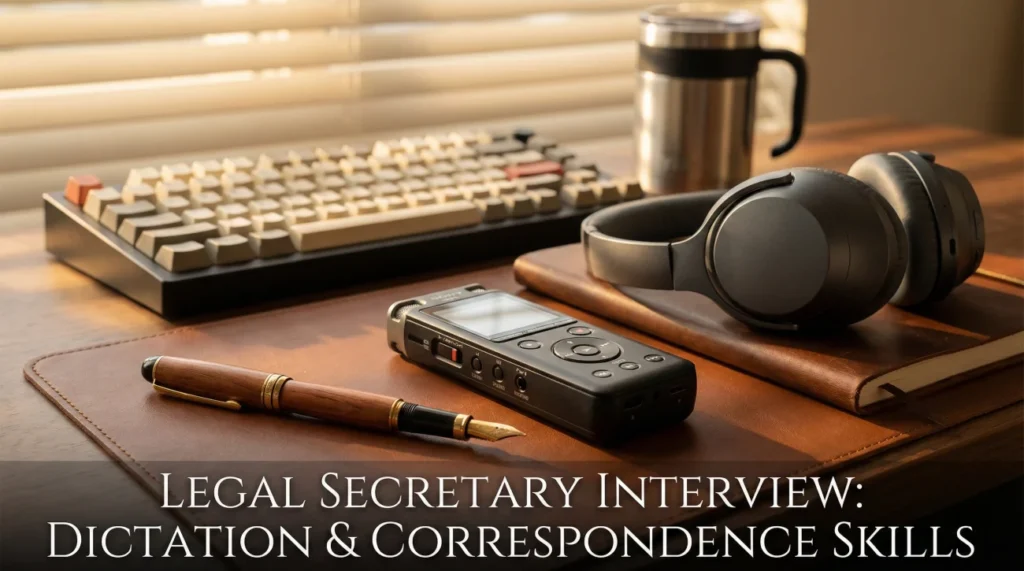
I have extensive experience using digital dictation systems like Olympus, Philips SpeechExec, and Dragon NaturallySpeaking. I am comfortable using a foot pedal to control playback speed, which allows me to keep my hands on the keyboard for continuous typing. I am familiar with the nuances of different attorneys’ speaking styles and can edit “on the fly” to remove “umms,” “ahhs,” and false starts while preserving the legal meaning. If an attorney mumbles a specific case name or statute, I flag it with a timestamp and ask for clarification rather than guessing. I also maintain a personalized dictionary within the software for specific client names and legal terms relevant to our practice area, which significantly reduces the need for manual corrections.
Q: How do you format a formal legal letter differently from a court pleading?
A formal legal letter follows standard business block or modified block style. It includes the firm’s letterhead, the date, the recipient’s inside address, a “Re:” line referencing the client and matter number, and a formal salutation. I ensure the closing is appropriate (e.g., “Very truly yours”) and list any enclosures or cc’s. A court pleading, on the other hand, requires a specific caption page with line numbering (usually 28 lines per page in California), strict margin settings, and a footer with the case name. I use the firm’s macro package or templates to generate these pleadings to ensure they comply with local court rules. I double-check the local rules for every jurisdiction because font sizes and margin requirements can vary between federal and state courts.
Q: What is your process for handling incoming mail for multiple attorneys?
I treat mail processing as a critical workflow, not just sorting paper. I open and date-stamp every piece of mail immediately to establish a record of receipt. I sort the mail by attorney and then by priority. Court notices and certified mail get top priority. I scan everything into the Document Management System (DMS) and email a link to the attorney. If a document triggers a deadline, like an “Answer due” date, I calendar it immediately before even giving the physical copy to the attorney. This redundancy ensures a deadline is never missed even if the paper gets buried on a desk. I also maintain a physical “chronological file” or “reading file” where copies of all outgoing and incoming correspondence are kept in date order, providing a quick backup reference if the system goes down.
Q: How do you handle a situation where an attorney’s dictation is unclear or inaudible?
I never guess. Guessing leads to malpractice. If a section is inaudible, I listen to it three times at different speeds. If it is still unclear, I type [inaudible at 12:45] in the draft. I then highlight this section in yellow and bring it to the attorney’s attention immediately. I might say, “I couldn’t quite catch the case name you cited at the 12-minute mark; was it Smith v. Jones?” This shows I am paying attention and care about accuracy. Over time, I learn the attorney’s voice patterns and common phrases, which minimizes these instances, but when in doubt, I always verify.
Software Proficiency and File Management
Q: How do you use Styles in Microsoft Word to format legal documents?
Styles are essential for stability in long legal documents. I never use the space bar or tab key to position text manually. Instead, I use Styles to define the font, paragraph spacing, and indentation for every element – Headings, Body Text, Block Quotes.
This allows me to generate an automatic Table of Contents that updates with a single click. It also ensures that if the attorney wants to change the font from Times New Roman to Century Schoolbook, I can update the Style definition once, and the entire 50-page brief updates instantly. It prevents broken formatting when documents are shared or edited by multiple people. I also use “Keep with next” and “Widow/Orphan control” settings within Styles to ensure headings do not get stranded at the bottom of a page.
Q: What is your system for naming and saving digital files?
I follow a strict, consistent naming convention to ensuring searchability. Typically, I use: Date (YYYY-MM-DD), Document Type, and Description (e.g., “2023-10-25 Ltr to Opposing Counsel re Settlement”). Starting with the date ensures files sort chronologically.
I save files directly into the client’s matter folder in the network drive or DMS (like iManage or NetDocuments), never to my local desktop. I also use version control, adding “_v1,” “_v2,” or “_FINAL” to the filename. This prevents the disastrous mistake of sending an internal draft with comments to the client or the court. I archive closed matters promptly to keep the active file list clean, but ensure they are easily retrievable if the client returns.
Q: How do you handle a “Table of Authorities” (TOA)?
I use the Mark Citation tool in Word. As I review the final brief, I highlight each case, statute, or rule and “mark” it. I assign it to the correct category (Cases, Statutes, Other Authorities).
After marking the entire document, I generate the TOA. I then manually review the generated list to fix any “id.” references that might have been picked up incorrectly or to merge duplicate citations that have slight spelling variations. I ensure the formatting matches the court’s requirements. I check the page numbers one last time after any final edits to the text to ensure they align. I am also familiar with third-party tools like Best Authority which can automate this process for very complex briefs.
Q: Explain your experience with PDF editing software like Adobe Acrobat.
I use Adobe Acrobat Pro daily. I know how to combine multiple files (like a Motion and its Exhibits) into a single PDF binder. I use the “Bates Numbering” tool to sequentially number pages for discovery production.
I am proficient in creating bookmarks for easy navigation, which is often required by courts for e-filing. I also know how to Redact sensitive information properly – not just covering it with a black box, but “Sanitizing” the document to permanently remove the underlying text and metadata so it cannot be recovered. This is critical for protecting client confidentiality. I also use the “OCR” text recognition feature to ensure all scanned documents are searchable.
Q: How do you manage email overload for your attorneys?
I act as a filter, not just a reader. I set up rules in Outlook to route newsletters and bar association blasts to a “Read Later” folder. I color-code emails from key clients or the court so they stand out instantly. I monitor the inbox when the attorney is in court or meetings.
If an urgent email comes in, I print it out or text the attorney a summary if appropriate. I also file emails into the DMS immediately so the case team has access. I draft routine responses for the attorney to review and send, such as acknowledging receipt of documents or confirming meeting times. This keeps the inbox manageable and ensures clients get timely responses.
Q: Describe your proficiency with PowerPoint for legal presentations.
I go beyond basic bullet points. I can create professional slide decks for client pitches or CLE (Continuing Legal Education) seminars. I know how to embed video or audio clips for trial presentations. I use the Slide Master to ensure consistent branding with the firm’s logo and colors.
I am careful with text density, knowing that legal slides often have too much text; I help the attorney summarize key points for the slide while putting the details in the speaker notes. I also know how to print “handouts” with notes lines for the audience. I always test the presentation on the actual equipment beforehand to avoid technical glitches.
Administrative and Soft Skills
An attorney is double-booked for a client meeting and a court hearing. How do you resolve it?
Court hearings always take precedence. I would immediately alert the attorney to the conflict. Once confirmed, I would call the client to reschedule. I would apologize for the inconvenience and explain, “Something urgent has come up with the court schedule that requires the attorney’s immediate presence.”
I would offer immediate alternative slots for the next day or offer a phone call with a junior associate if the matter is urgent. I would handle the logistics smoothly so the client feels prioritized, not blown off. I would then update the calendar to reflect the change. I would also check the docket to see if the court hearing time is firm or a window, as sometimes appearance counsel can cover routine status conferences.
How do you maintain confidentiality in a shared workspace?
I adhere to the “clean desk” policy. I never leave client files open on my desk when I step away. I lock my computer screen every time I get up (Windows + L). I am mindful of my volume when speaking on the phone about client matters, ensuring I do not use names if people outside the firm can hear.
I pick up documents from the printer immediately so they do not sit in the tray. If I am working on a particularly sensitive matter (like a merger or high-profile divorce), I might use a privacy screen on my monitor. Protecting the attorney-client privilege is part of my job description. I also shred drafts and notes rather than throwing them in the recycling bin.
The printer jams while you are printing a filing due in 30 minutes. What do you do?
I do not panic. I check the error message. If it is a simple jam I can fix quickly, I do so. If it requires a technician, I immediately send the print job to a secondary printer or a copier on another floor.
If the entire network is down, I save the file to an encrypted USB drive (if allowed by policy) and print from a standalone machine or ask a colleague in another building to print it. I always have a “Plan B” for technology failures close to a deadline. The filing must go out, no matter what. After the crisis, I would report the issue to IT to ensure it doesn’t happen again.
You made a mistake on a document that has already been mailed. How do you handle it?
I own it immediately. I would go straight to the attorney and say, “I realized I sent the Jones letter with the wrong date.” I do not make excuses. I present a solution: “I have drafted a corrected letter and a brief apology note ready for your signature.”
If it was a court filing, I would research the procedure for filing an “Errata” or amended document. Most mistakes are fixable if caught early, but hiding them creates a malpractice risk. My honesty builds trust with the attorney, showing them I have the integrity to handle my errors professionally.
How do you deal with a difficult attorney who is stressed and snappy?
I don’t take it personally. I understand that the stress is usually about the case, not me. I remain calm and professional, acting as a stabilizing force. I ask clarifying questions to ensure I understand exactly what they need to relieve the pressure: “I see you are swamped; would you like me to handle the scheduling for the deposition so you can focus on the brief?”
I anticipate their needs – having coffee ready, organizing the file before they ask, or intercepting non-urgent calls. However, if the behavior becomes abusive, I would address it professionally during a calmer moment or speak to the office manager, as mutual respect is essential for a long-term working relationship.
Legal Secretary Skills Quiz
20 Practice Questions
1. What is the standard paper size for legal documents?
- 8.5 x 11 inches (Letter size)
- 8.5 x 14 inches (Legal size)
- 11 x 17 inches (Ledger size)
- A4 standard international size
2. “WPM” stands for:
- Words Per Month rate
- Words Per Minute rate
- Work Per Minute rate
- Writes Per Month rate
3. What is a “macro” in Word?
- A very large font size
- An automated recorded action
- A type of document virus
- A manual page break command
4. “Pleading paper” typically has lines numbered:
- 1 to 20 down the left margin
- 1 to 28 down the left margin
- 1 to 30 down the left margin
- 1 to 25 down the left margin
5. “Cc” in a letter stands for:
- Client copy sent
- Carbon copy sent
- Court copy sent
- Clerk copy sent
6. A “footer” usually contains:
- The attorney’s home address
- The document title/page number
- The client’s full biography
- The judge’s signature line
7. Which tool removes metadata?
- The Spell Check tool
- The Document Inspector
- The Track Changes tool
- The Mail Merge wizard
8. “Dictation” refers to:
- Reading a document aloud
- Speaking words to be typed
- Filing a court document
- Scheduling a meeting time
9. What does “re” mean in a letter?
- Return to sender
- Regarding / Reference
- Reply immediately
- Read everything
10. A “Notary block” is for:
- The attorney to sign
- The notary to sign
- The judge to sign
- The clerk to sign
11. “OCR” makes a PDF:
- Read-only and locked
- Searchable and editable
- Black and white only
- Password protected file
12. Which key shortcut locks a PC?
- Ctrl + Alt + Delete
- Windows Key + L
- Alt + F4 to close
- Ctrl + S to save
13. “Collating” means:
- Stapling random pages
- Arranging pages in order
- Shredding old documents
- Scanning new documents
14. What is a “caption” on a pleading?
- The concluding paragraph
- The heading with case info
- The attorney’s signature
- The table of contents
15. “Formatting” refers to:
- Writing the content text
- The layout and appearance
- Saving the file to disk
- Sending the email out
16. Which is a font style?
- Microsoft Word 2023
- Times New Roman
- Adobe Acrobat Pro
- Windows Explorer
17. “Indentation” is used to:
- Change text color to red
- Move text from margin
- Underline important words
- Bold the section header
18. A “hard copy” is:
- A difficult file to read
- A physical paper printout
- A digital backup file
- A password protected file
19. “Enc.” at the end of a letter means:
- End of the document
- Enclosure is included
- Encyclopedia reference
- Enter the data now
20. “Turnaround time” is:
- Time to drive to work
- Time to complete a task
- Time for lunch break
- Time to restart computer
❓ Frequently Asked Questions
⌨️ What WPM is required for a legal secretary?
Most firms require a minimum of 60-70 WPM, but top-tier firms often prefer 80+ WPM. Accuracy is equally important; a fast typist who makes many errors is less valuable than a slightly slower one who is perfect. Many interviews will include a typing test where you must format a document from a hard copy or audio file under a time limit.
🎧 Is dictation still used in modern firms?
Yes, especially by senior partners and litigators who draft extensive briefs. While younger attorneys might type their own drafts, many senior lawyers prefer to dictate complex briefs or letters. Proficiency with digital transcription is a key skill that separates secretaries from general admins. It allows the attorney to maximize their billable hours by talking faster than they can type.
📅 How does this role differ from an Executive Assistant?
An Executive Assistant (EA) might handle personal travel, board meetings, and high-level calendar strategy. A Legal Secretary focuses specifically on legal documents, court filings, and case management. The role requires knowledge of legal terminology, court procedures, and filing rules that an EA role typically does not. However, in smaller firms, the roles may overlap.
📂 Do I need to know specific legal software?
It helps significantly. Familiarity with document management systems (iManage, NetDocuments), time entry software (Intapp, Aderant), and e-filing portals is highly desirable. However, if you are tech-savvy and proficient in MS Office, most firms are willing to train you on their specific proprietary tools. Demonstrating an ability to learn new software quickly is key.
🚀 What is the next step after Legal Secretary?
Many Legal Secretaries transition into Paralegal roles after gaining experience and perhaps a certificate. Others move into Legal Operations, Office Management, or specialized roles like Word Processing Supervisor or Billing Coordinator. Some use the broad exposure to law to decide to go to law school themselves.
The Silent Engine of Success
The best legal secretaries are invisible in the best way possible: the documents are perfect, the calendar flows smoothly, and the files are exactly where they should be. You are the silent engine that powers the attorney’s practice, allowing them to focus on the high-level strategy while you manage the tactical execution. When you walk into the interview, focus on your technical proficiency and your obsession with detail. Show them that you take pride in the craft of document production and the art of organization.
By preparing with these legal secretary interview questions, you position yourself not just as a typist, but as a critical infrastructure partner who allows the attorneys to win cases. Your ability to anticipate problems before they happen and handle the administrative heavy lifting is what makes you indispensable.
⚠️ Disclaimer: The interview strategies, sample answers, and negotiation tips provided in this guide are for educational purposes only. Hiring decisions are subjective and vary by company and industry. While these strategies are based on professional HR standards, they do not guarantee a specific job offer or result.