How Administrative Assistant Interviews Measure Office Impact
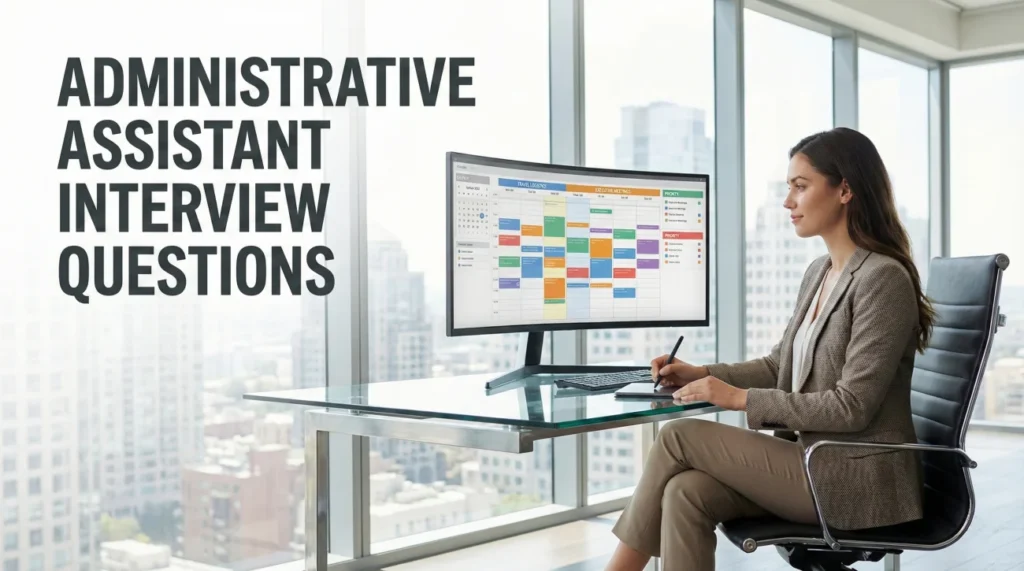
At its best, this job is organized invisibly. Administrative assistant interview questions check whether you can keep calendars, communication, and daily logistics running smoothly, even when the pace gets messy.
Interviewers want proof that you are proactive, tech comfortable, and confident enough to ask clarifying questions. Share how you prioritize, protect your manager’s time, and keep small details from turning into big problems.
Calendar Management & Prioritization
Your ability to manage time determines the team’s efficiency. Interviewers want to know the logic behind your scheduling decisions.
Q: How do you handle a scheduling conflict where two executives need the same conference room at the same time?
I solve this by looking at priority and flexibility, not just seniority. First, I check the nature of the meetings. Is one a client-facing pitch (immovable) and the other an internal 1:1 (flexible)? I would approach the owner of the internal meeting and say, “We have a critical client pitch that requires the main boardroom setup. Would you mind if I moved your 1:1 to the huddle room or rescheduled it to a later slot?” I always offer a solution, not just a problem. If both are critical, I look for alternative spaces or check if an offsite space is needed. I confirm the swap in the calendar immediately to prevent confusion.
Q: Describe your system for managing a chaotic inbox.
I use the “4D Method”: Delete, Delegate, Defer, Do. First, I clear out spam and newsletters (Delete). Second, I forward emails that are better handled by another department, like IT or HR (Delegate). Third, for items requiring deep work or waiting on info, I flag them or move them to a “Pending” folder with a reminder (Defer). Finally, quick items get answered immediately (Do). I also use color-coded categories in Outlook (e.g., Red for Urgent, Green for FYIs) so my manager can see at a glance what needs their attention versus what I have already handled.
Q: How do you prioritize tasks when three different managers give you “urgent” work simultaneously?
I communicate to clarify the true deadlines. I don’t assume “ASAP” means “right now” for everyone. I might say, “I am currently finishing the Q3 report for Sarah which is due at noon. Is your request for the travel booking needed by end of day, or does it take precedence?” I create a shared prioritization visual (like a Trello board or shared Excel sheet) where all managers can see my workload. This transparency often leads them to self-regulate or trade priorities among themselves. If a conflict remains, I ask them to decide the priority, but I never just silently suffer and miss deadlines.
Q: How do you prepare for a weekly team meeting to ensure it runs smoothly?
Preparation is key to efficiency. Ahead of the meeting, I solicit agenda items from the team to ensure we have clear topics. I prepare the slide deck by consolidating updates. Shortly before, I test the AV equipment (Zoom link, microphone, screen share) to avoid the “can you hear me?” delay. During the meeting, I take action-oriented minutes (Who is doing What by When). Post-meeting, I distribute these notes promptly. My goal is to make the administrative friction zero so the team can focus on the discussion.
Communication & Gatekeeping
You are the filter for the team. You need to show you can handle difficult people with grace and protect your manager’s time without being rude.
Q: A salesperson keeps calling to speak with the Director, who does not want to take the call. How do you handle it?
I act as a polite but firm gatekeeper. I screen the call by asking, “May I ask what this is in reference to?” If it is a sales pitch, I say, “The Director is not reviewing new vendors at this time, but I would be happy to take your information and pass it along if there is a future need.” I add them to a “Vendor Log” so I can track repeat callers. I never promise a callback I can’t deliver. If they persist, I firmly reiterate the policy. My job is to protect the Director’s focus while maintaining the company’s professional brand image.
Q: How do you draft an email on behalf of your manager?
I adopt their voice and style. I study their previous emails to understand their tone – are they formal or casual? Direct or chatty? When drafting, I use a “BLUF” (Bottom Line Up Front) approach to respect the recipient’s time. I state the purpose of the email in the first sentence. I clearly bold any action items or deadlines. Before sending, I save it in the “Drafts” folder for my manager to review (if required) or send it with a “Sent on behalf of” signature line if I have autonomy. Accuracy in grammar and tone is non-negotiable.
Q: You made a mistake on a travel booking (wrong date). How do you fix it?
I own the mistake immediately and focus on the solution. Panic helps no one. I call the airline or travel agency instantly to see if I can change the ticket within the applicable change window or pay the change fee. I then inform the traveler: “I apologize, but I realized I booked your flight for Tuesday instead of Wednesday. I am fixing it right now and will send you the new confirmation as soon as I have it.” I don’t hide it or hope they don’t notice. Afterward, I update my travel checklist to include a “verbal confirmation step” to prevent it from happening again.
Tech Proficiency & Logistics
The days of just using a typewriter are gone. You must be the tech troubleshooter and logistics wizard.
Q: How do you use Excel to manage administrative tasks?
I use Excel for more than just lists. I use it for budget tracking (using formulas like SUM and AVERAGE to track office spend vs. budget). I use it for event management (using Filters to sort dietary restrictions or RSVP status). I use Conditional Formatting to highlight upcoming deadlines (for example, contracts that are nearing renewal turn red). I can also do Mail Merges to send personalized emails to large groups. Excel is my database for keeping the office organized.
Q: What is your experience with AI tools in administration?
I use AI to increase my speed. I use tools like ChatGPT to draft routine emails, summarize long meeting notes into bullet points, or brainstorm ideas for team-building events. I use scheduling tools to optimize calendar gaps. However, I never input confidential company data into public AI tools. I view AI as a “junior assistant” that handles the rough draft, allowing me to focus on the final polish and relationship management.
Q: Walk me through how you organize a company event (e.g., Holiday Party).
I treat it like a project manager. 1. Budget & Concept: I confirm the budget per head and the goal (networking vs. celebration). 2. Vendor Selection: I get quotes from multiple vendors for venue and catering to ensure competitive pricing. 3. Logistics: I handle invites, track RSVPs, manage dietary restrictions, and coordinate AV needs. 4. Execution: On the day of, I arrive early to troubleshoot. I act as the point of contact so leadership can enjoy the party. 5. Feedback: I send a post-event survey to learn what to improve for next year. Details matter – from the music volume to the vegetarian options.
Behavioral Scenarios & Adaptability
You overhear confidential information about a merger while taking minutes. A colleague asks you about rumors. What do you do?
I maintain absolute silence. I say, “I don’t know anything about that,” or “I can’t comment on rumors.” As an Admin, I am often the “Vault” of the office. My integrity is my currency. If I leak information, I lose my manager’s trust forever and could damage trust or sensitive deal negotiations. I treat confidential information as if it doesn’t exist outside the meeting room. I also ensure my notes and files are stored securely.
Your manager is disorganized and constantly loses receipts. How do you help them?
I build a system that works for their habits, not mine. If they hate keeping paper, I set up a mobile app (like Expensify or Concur) on their phone so they can snap a photo of the receipt immediately at the restaurant. I schedule a short recurring check-in called “Expense Clear-out” where I sit with them to verify the week’s expenses while their memory is fresh. I take the burden off them by gamifying it or doing it in real-time, rather than nagging them at the end of the month.
Administrative Skills Quiz
Test Your Admin IQ
1. The “BCC” field in email stands for:
- Best Carbon Copy
- Blind Carbon Copy (recipients cannot see each other)
- Back Copy Code
- Business Contact Center
2. “Minute Taking” refers to:
- Checking the clock
- Recording the official record of a meeting (decisions and actions)
- Speaking for only one minute
- Timing a speech
3. Which tool is best for finding a meeting time for 10 people?
- Sending 10 separate emails
- Using “Scheduling Poll” or “Find Time” features
- Guessing
- Asking the receptionist
4. “Mail Merge” allows you to:
- Mix letters in the mailbox
- Send personalized mass emails using a data source (like Excel)
- Merge two post offices
- Print stamps
5. A “Gatekeeper” in administration is:
- The security guard
- The person who controls access to an executive or decision-maker
- The person who fixes the gate
- The parking attendant
6. “Travel Itinerary” should include:
- Just the flight time
- Flights, hotels, ground transport, meeting locations, and confirmation numbers
- A list of good restaurants only
- The weather report only
7. “Petty Cash” is used for:
- Buying expensive computers
- Small, incidental office expenses (coffee, postage)
- Paying salaries
- Bribes
8. “CRM” stands for:
- Customer Revenue Model
- Customer Relationship Management
- Call Recording Machine
- Computer Repair Manual
9. If a printer is jammed, the first step is:
- Kick it
- Check the display panel for error messages and clear the paper path
- Buy a new one
- Call the CEO
10. “Confidentiality” implies:
- Sharing secrets with friends
- Not disclosing sensitive information to unauthorized people
- Speaking in code
- Working in the dark
11. A “PO” (Purchase Order) is:
- A post office
- A document issued by a buyer to a seller indicating types, quantities, and prices
- A polite opinion
- A personal offer
12. “Reconciling Expenses” means:
- Making friends with money
- Matching receipts to credit card statements to ensure accuracy
- Spending more money
- Hiding receipts
13. The “Eisenhower Matrix” helps with:
- Designing buildings
- Prioritizing tasks by Urgency and Importance
- Calculus
- Typing speed
14. “Zoom Etiquette” for an admin includes:
- Eating loudly
- Starting the meeting early to test tech and admitting attendees from the waiting room
- Being late
- Wearing pajamas
15. “Filing System” effectiveness is measured by:
- How much paper you have
- Retrieval speed (how fast you can find a document)
- The color of the folders
- The height of the cabinet
16. “Procurement” involves:
- Curing diseases
- Sourcing and purchasing goods and services for the company
- Hiring staff
- Selling products
17. A “Notary Public”:
- Is a famous person
- Acts as an impartial witness to the signing of documents
- Writes public notes
- Delivers mail
18. “Slack” or “Teams” are examples of:
- Video games
- Instant messaging and collaboration platforms
- Accounting software
- Design tools
19. “Vendor Management” includes:
- Selling hot dogs
- Maintaining relationships, contracts, and quality control with suppliers
- Fixing vending machines
- Buying from Amazon only
20. “Turnaround Time” (TAT) is:
- Spinning in a circle
- The time taken to complete a process or fulfill a request
- A dance move
- Time off work
❓ FAQ
🗓️ What is the biggest skill hiring managers want?
Reliable prioritization. They want someone who can sort true emergencies from noise, communicate tradeoffs clearly, and keep commitments from slipping through the cracks.
💬 How do I prove I can handle difficult people?
Use one short story: what the person wanted, how you stayed polite, what boundary you held, and how you closed the loop. Focus on tone and process, not drama.
🖥️ Do I need advanced software skills?
You do not need to be an engineer, but you should be fluent in the basics of calendars, spreadsheets, and docs. Bonus points for knowing shortcuts, templates, and simple automations that save time.
📨 What is a good way to talk about inbox management?
Explain a consistent system, such as folders, flags, or categories, and how you decide what to answer, what to escalate, and what to schedule. The key is clarity and follow through.
🎯 How should I answer ‘What are your strengths’?
Pick strengths that match the role: discretion, organization, and communication. Then prove them with a concrete example instead of listing adjectives.
Final Thoughts
To do well on administrative assistant interview questions, lean on real examples. Show your workflow for scheduling conflicts, inbox triage, and follow through, plus the way you communicate when three requests all feel urgent.
The best answers feel practical: what you noticed, what you did first, and how you prevented it next time. For more practice prompts, browse the interview questions hub.
⚠️ Disclaimer: The interview strategies, sample answers, and negotiation tips provided in this guide are for educational purposes only. Hiring decisions are subjective and vary by company and industry. While these strategies are based on professional HR standards, they do not guarantee a specific job offer or result.