You Are the Voice, But in Text
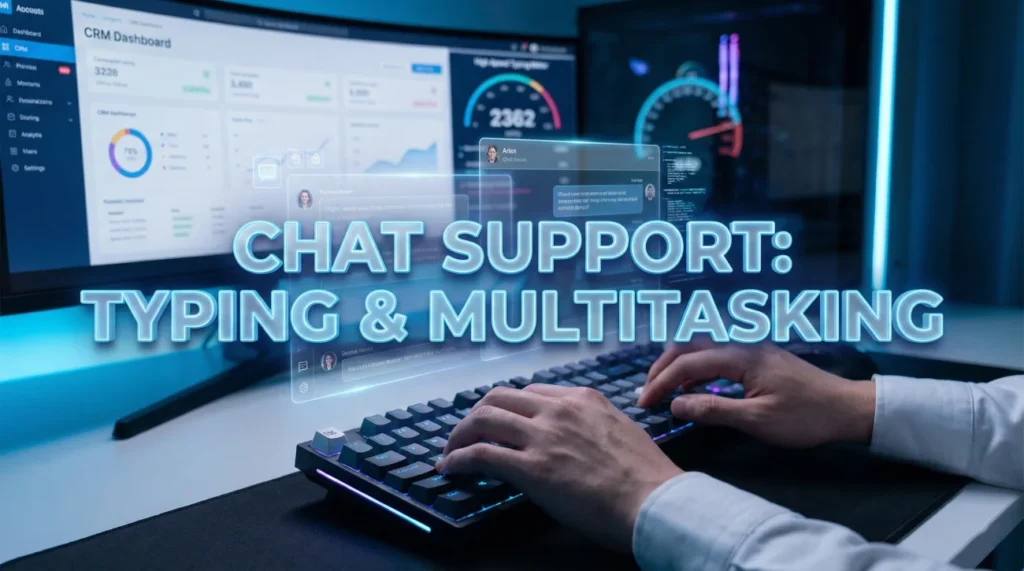
Live chat support looks simple until the queue jumps and you have three conversations blinking at once. That is why chat support agent interview questions dig into how you think while you type, not just what you type.
Teams want proof you can keep momentum without becoming sloppy. Can you acknowledge fast, ask the right question, and keep each customer feeling like they have your attention? Can you use templates while still sounding like a person, and can you switch to escalation when the issue stops fitting inside a chat box?
This guide helps you explain your method in plain language: how you manage multiple chats, how you keep notes so details do not cross, and how you deliver crisp answers that reduce back-and-forth.
Technical Skills & Concurrency
Q: How do you handle multiple concurrent chats (e.g., 3 at once)?
I prioritize based on the customer’s pace and issue complexity. I use a “Round Robin” mental check. While Customer A is typing, I switch to Customer B to answer their question, then check on Customer C.
I never leave a customer in “dead silence.” If I need to focus on a complex issue for Customer A, I send a quick “I’m checking that for you, bear with me one moment” message to B and C. It is about keeping all plates spinning without letting one drop.
Q: What is your typing speed (WPM) and how do you ensure accuracy?
My typing speed is consistently [Insert Speed, e.g., 60-70] WPM. However, speed is useless without accuracy. A typo can change the meaning of a solution or make the company look unprofessional.
I take a micro-second to proofread before hitting “Enter.” I also rely on text expanders or macros for long, complex explanations to ensure they are grammatically perfect every time, leaving my manual typing for the personalized parts of the conversation.
Q: How do you use “Macros” or “Canned Responses” effectively?
Macros are tools for efficiency, not a replacement for conversation. I use them for standard greetings, closings, or step-by-step instructions to save time.
However, I always “sandwich” the macro. I start with a personalized acknowledgment (“I see you are having trouble with X”), insert the macro solution, and end with a personalized check-in (“Did that step work for you?”). This ensures the customer doesn’t feel like they are talking to a bot.
Q: What do you do if you paste the wrong response to a customer?
It happens. I own it immediately. I don’t ignore it. I type, “Apologies, that last message was sent in error. Please disregard it.”
I then immediately provide the correct information. Transparency allows me to recover the trust quickly. If I inadvertently shared another customer’s data (a major privacy breach), I would flag it to my supervisor immediately according to protocol.
Q: How do you determine when to escalate a chat to a phone call?
Chat is great for quick fixes, but bad for complex emotional issues or complicated troubleshooting. If we are going in circles after 3 exchanges, or if the customer is getting increasingly frustrated, I offer a channel switch.
I ask: “To resolve this faster, would you prefer I have a specialist call you?” I frame it as a benefit to them (speed/resolution), not as me giving up on the chat.
Q: How do you handle “Ghost” customers who stop responding?
I follow the “Three-Strike Rule.” After 2 minutes of silence, I send a “Are you still with me?” prompt. After another 2 minutes, I send a warning: “I haven’t heard from you, so I will have to disconnect this chat soon to help others.”
If there is still no reply, I send a closing script instructing them how to reconnect later and end the chat. This frees up my capacity for active customers.
Tone, Empathy & Communication
Q: Text can sound robotic. How do you convey empathy in a chat?
Why they ask: Empathy is harder in text than voice. They need “Warmth.”
Sample Answer: I use specific “Signaling Words.” Instead of just saying “Okay,” I say “I completely understand why that is frustrating” or “I would be upset too.”
I also mirror the customer’s punctuation. If they use exclamation points and are happy, I might use one too (“Great!”). If they are serious, I stay professional. I avoid all-caps, which looks like shouting, and I use short, clear sentences to make the information digestible.
Q: What is your stance on using emojis in support chats?
Why they ask: Cultural fit test. Some brands love them; some ban them.
Sample Answer: It depends entirely on the brand voice and the customer’s mood. If the customer uses a smiley face, it gives me permission to be a bit more casual and warm.
However, I never use emojis when a customer is angry or discussing a serious issue like a billing dispute. In those cases, emojis can seem dismissive. I read the room before I insert a smiley.
Q: How do you explain a complex technical process via text?
Why they ask: Communication clarity. Walls of text are unreadable.
Sample Answer: I avoid the “Wall of Text.” I break instructions down into numbered steps (1, 2, 3) or bullet points. I send one step at a time and wait for confirmation (“Let me know when you see the Settings menu”).
I also use screenshots or links to Knowledge Base articles if the platform allows. Visual aids are often faster than typing out three paragraphs of explanation.
Q: How do you verify a customer’s identity in a chat?
Why they ask: Security is huge. You can’t see the person.
Sample Answer: I follow the authentication protocol strictly before sharing any account info. Since I can’t recognize their voice, I usually ask them to confirm details like “Full Name and Order Number” or send a verification code to their email/phone.
If they fail verification, I politely hold the line: “For your security, I cannot access the account without this confirmation.” I never bypass security for the sake of being nice.
Situational Scenarios: Crisis & Confusion
A customer is typing in ALL CAPS and using aggressive language.
I do not type back in all caps. I maintain a calm, professional font and tone. I acknowledge their anger immediately: “I can see that you are very upset, and I want to help resolve this.”
If they use profanity, I give a professional warning: “I want to help you, but I ask that we keep the language professional.” If they continue, I follow the procedure to terminate the chat. Often, seeing a calm, written response helps de-escalate them faster than a voice interaction because they have to stop and read it.
You don’t understand what the customer is asking because of poor grammar or language barriers.
I never say “I don’t understand you” or “Your grammar is bad.” That is insulting. Instead, I take the blame or ask for clarification gently.
I say, “I want to make sure I get this right for you – are you asking about the shipping date or the billing date?” or “Could you rephrase that so I can give you the best answer?” I also use simple, standard English (no idioms) to make it easier for translation tools if they are using one.
The Knowledge Base doesn’t have the answer to the customer’s question.
I inform the customer I am investigating: “That’s a great question. Let me consult with my technical team to get you the exact answer.”
I then use my internal team chat (Slack/Teams) to ask a Subject Matter Expert. I check back with the customer every 60-90 seconds so they don’t think I left. I never guess. It is better to take 2 minutes to get the right answer than to guess and cause a callback.
Operational Efficiency & Metrics
Q: What metrics (KPIs) do you track as a Chat Agent?
Why they ask: Do you understand how success is measured?
Sample Answer: I focus on “Average Response Time” (ART) – how fast I reply to each message, and “Concurrent Chat Capacity.” I also track CSAT (Customer Satisfaction) scores.
My goal is to keep the conversation flowing quickly without sacrificing quality. I know that long pauses drive down CSAT, so I aim for a response time of under 30-45 seconds per message.
Q: How do you handle a system outage where chat volume spikes suddenly?
Why they ask: Crisis management.
Sample Answer: I stay calm. I look for an “Outage Macro” or pinned message from the team lead. I acknowledge the issue immediately to customers: “We are currently experiencing a known issue with X, and our team is working on it.”
I don’t troubleshoot individual cases if it’s a global outage, as that wastes time. I provide the ETA (if known), apologize for the inconvenience, and clear the chat so I can help the next person. Efficiency is key during a spike.
Q: Why do you prefer Chat Support over Phone Support?
Why they ask: Motivation check.
Sample Answer: I enjoy the efficiency of it. I like being able to help three people in the time it takes to help one person on the phone. I am a visual thinker, so I prefer seeing the information written down.
I also find that I can give more accurate answers because I have a moment to double-check my facts before hitting send, which leads to better quality support.
Chat Support Competency Quiz
Take the 20-Question Challenge
1. “Concurrency” in chat support means:
- Chatting with current customers only
- Handling multiple chat conversations simultaneously
- Using current currency
- Chatting quickly
2. A “Macro” or “Canned Response” is:
- A large response
- A pre-written text template for common questions
- A robotic virus
- A type of emoji
3. The ideal “First Response Time” (FRT) is usually:
- Under 5 minutes
- Under 30-60 seconds
- Whenever you are ready
- Under 10 minutes
4. Typing in ALL CAPS is generally interpreted as:
- Being excited
- Shouting or aggression
- Whispering
- Professional emphasis
5. “Triage” in chat support involves:
- Deleting chats
- Assessing the urgency and complexity of incoming chats to prioritize them
- Trying three times
- Translating languages
6. If a customer stops responding (“Ghosting”), you should:
- Wait forever
- Send prompts/warnings and then end the chat after a set time
- Get angry
- Call the police
7. “ART” typically stands for:
- Agent Response Ticket
- Average Response Time
- All Real Time
- Automated Reply Text
8. To prevent a “Wall of Text,” you should:
- Type faster
- Use bullet points, numbered lists, and short paragraphs
- Use smaller font
- Delete half the information
9. A “Chatbot” is:
- A rude agent
- Automated software that simulates conversation to handle basic queries
- A virus
- A group chat
10. “Screen Sharing” or “Co-browsing” allows the agent to:
- Steal photos
- View or navigate the customer’s screen to assist with issues
- Share their own personal photos
- Browse the internet
11. If you send a wrong message, you should:
- Ignore it
- Apologize immediately and correct the information
- Disconnect the chat
- Blame the system
12. “Proactive Chat” is:
- An agent who works out
- A chat invitation that pops up automatically based on user behavior
- A chat that never ends
- A manager chat
13. The “Sandwich Technique” for macros means:
- Eating lunch while chatting
- Placing a canned response between a personalized opening and closing
- Using three macros in a row
- Deleting macros
14. “WPM” stands for:
- Words Per Minute
- Words Per Minute (Typing speed)
- Work Per Month
- Wrong Person Message
15. Authenticating a customer is important to prevent:
- Spelling errors
- Fraud and identity theft
- Long chats
- Bad reviews
16. An “Omnichannel” platform allows you to:
- Watch TV
- See customer history across email, phone, and chat in one place
- Only chat
- Play games
17. To show you are listening in text, you should:
- Use emojis only
- Use acknowledging phrases like “I see,” “That makes sense,” or paraphrase
- Type “…” continuously
- Send blank messages
18. “Tone” in chat refers to:
- The sound of the keyboard
- The attitude or emotion conveyed through word choice and punctuation
- The color of the font
- The volume
19. If a chat is getting too complex for text, you should:
- Stop replying
- Offer to escalate to a phone call or screenshare
- Tell the customer they are wrong
- Keep typing for hours
20. The biggest advantage of chat support for companies is:
- It’s fun
- Cost efficiency (one agent can handle multiple customers)
- Agents don’t have to talk
- It’s slower
❓ FAQ
⏱️ How do I handle a customer who keeps asking “any update?”
Reply with a quick status and a time expectation. Even a short message like “I am checking X now, I will update you in 2 minutes” prevents frustration and buys you space to work.
🧠 What does good “multichat” organization look like?
Use a rotation habit and consistent note-taking. Acknowledge each chat, move one step forward, then rotate. Keep key facts in the ticket so you never rely on memory when you switch tabs.
🧩 How should I talk about macros in an interview?
Say you use macros for accuracy and speed, then personalize the first line and the call-to-action. Interviewers want efficiency, but they also want your messages to match the customer context.
📚 What if I do not know the answer during a chat?
Do not guess. Tell the customer you will confirm, search the knowledge base or ask a lead, then return with a clear next step. Accuracy beats speed when the topic is billing, security, or account access.
📞 When should chat escalate to a call?
Escalate when the issue needs verification, screensharing, or sensitive identity checks, or when the customer is looping without progress. Frame it as a faster path to resolution, not a handoff.
Final Thoughts
In interviews, do not try to sound like a script. Your goal is to sound dependable. The best answers to chat support agent interview questions show you can keep chats moving, keep details organized, and keep your tone steady when the queue gets loud.
If you can explain how you acknowledge quickly, reduce back-and-forth with precise questions, and escalate cleanly when needed, you will stand out as someone who can handle volume without losing quality.
⚠️ Disclaimer: The interview strategies, sample answers, and negotiation tips provided in this guide are for educational purposes only. Hiring decisions are subjective and vary by company and industry. While these strategies are based on professional HR standards, they do not guarantee a specific job offer or result.