The Chain Matters More Than the Plugin
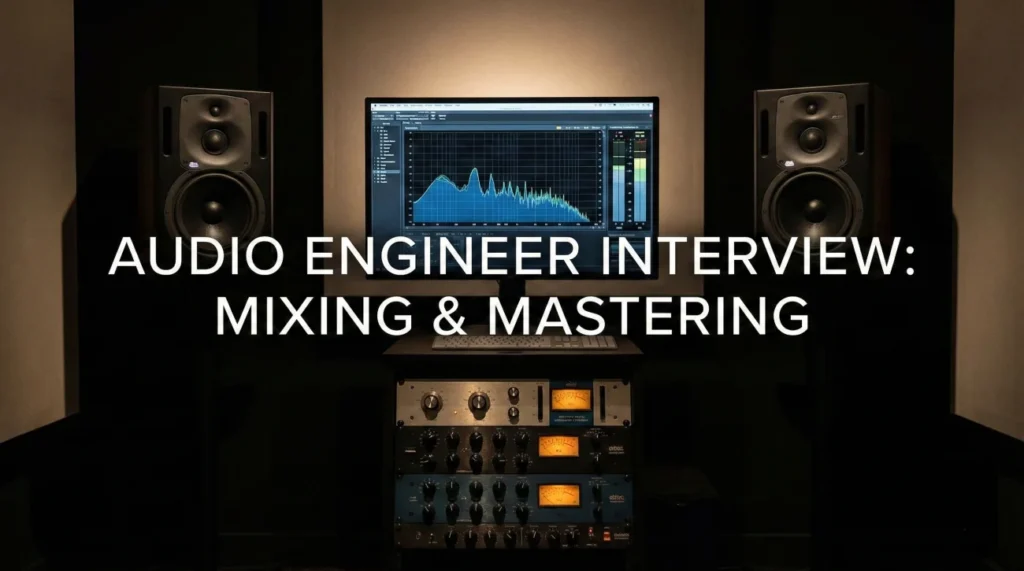
Audio engineer interview questions are a practical test of how you think. Not just whether you know the vocabulary, but whether you can keep a session stable when something goes wrong. Can you trace the signal from mic to monitors, fix a noise issue without panic, and still protect the performance?
Studios hire the engineer who notices problems early. The small stuff, like a gain stage set too hot, a noisy power source, a singer drifting off the mic, or a mix that falls apart in mono. You are the person who makes those issues disappear quietly so the artist can stay focused.
This guide helps you answer like a working engineer. We cover signal flow, smart gain staging, clear mixing and mastering decision-making, and fast troubleshooting for both studio and live environments.
Signal Flow & Recording
Q: Explain “Signal Flow” in a standard recording setup.
Signal flow is the path audio takes from source to destination. It starts at the Source (Vocalist), goes into the Transducer (Microphone), then to the Preamp (to boost level).
From there, it might go through outboard gear (Compressor/EQ) before hitting the A/D Converter (Interface) and entering the DAW. On the way out, it goes D/A to the Monitor Controller and finally the Speakers. Understanding this path is critical for troubleshooting; if there is no sound, I check the path linearly to find the break.
Q: What is the “Proximity Effect”?
The Proximity Effect is the increase in low-frequency response (bass) as a directional microphone gets closer to the sound source. It happens with cardioid/figure-8 patterns.
I use it creatively to give a thin voice more “body” and warmth (radio DJ voice). However, I must be careful not to make it “muddy.” If it’s too boomy, I pull the mic back or engage a High Pass Filter.
Q: When would you use a Dynamic mic vs. a Condenser mic?
I use a Dynamic mic (like an SM57) for loud sources (drums, guitar amps) or live vocals because they handle high SPL (Sound Pressure Level) and are durable.
I use a Condenser mic (like a U87) for delicate sources (studio vocals, acoustic guitar) because they are more sensitive and capture high-frequency detail (transients) better. They require Phantom Power (+48V) to operate.
Q: How do you set “Gain Staging” correctly?
Gain staging is optimizing levels at every step to prevent noise (too low) or distortion (too high). I aim for a healthy level at the preamp (averaging -18dBFS in the DAW) to leave “Headroom.”
If I record too hot (clipping), digital distortion ruins the take. If I record too quiet, boosting it later brings up the “Noise Floor” (hiss). I check levels on the loudest part of the performance before hitting record.
Technical Audio Knowledge
Q: What is the difference between Phase and Polarity?
Polarity is a binary switch (positive/negative voltage). Flipping it inverts the waveform 180 degrees instantly.
Phase is time-based. It refers to the delay between two signals. If two mics are out of phase, certain frequencies cancel out (Comb Filtering), making the sound thin. I fix this by aligning the waveforms or using the 3:1 rule in placement.
Q: Explain the controls of a Compressor (Threshold, Ratio, Attack, Release).
Threshold: The level where compression starts. Ratio: How much it is squashed (4:1 means 4dB in = 1dB out).
Attack: How fast it grabs the signal (slow lets transients punch through). Release: How fast it lets go. I use compression to control dynamic range and add “glue” or punch to a mix.
Q: What is a “High Pass Filter” (HPF) used for?
An HPF allows high frequencies to pass and cuts low frequencies. I use it on almost everything except the Kick and Bass.
It removes “rumble” (AC noise, footsteps) and cleans up the low-end mud, making room for the bass instruments to sit clearly in the mix without fighting the vocals.
Q: Explain “Parallel Compression” (New York Compression).
It involves mixing an uncompressed “dry” signal with a heavily compressed “wet” version of the same signal.
This retains the dynamic punch (transients) of the dry track while adding the sustain, fatness, and detail of the compressed track. It is a staple technique for drums and vocals to get a “big” sound without killing the life of the performance.
Q: What is the difference between Mixing and Mastering?
Mixing is balancing the individual tracks (multitrack) into a stereo file. It involves EQ, compression, panning, and effects.
Mastering is the final polish on that stereo file. It ensures consistency across an album, brings the level up to commercial standards (Loudness), and handles format conversion. Mixing is painting; Mastering is framing and glazing.
Q: How do you use “Sidechain” compression?
Sidechaining uses one signal to trigger compression on another. The classic example is ducking the Bass every time the Kick Drum hits.
This carves out space for the Kick to punch through the mix. I also use it on Reverb sends (ducking the reverb while the vocalist sings, letting it bloom when they stop) to keep the vocal intelligible but wet.
Troubleshooting & Live Sound
You hear “Feedback” (screeching) during a live show. What do you do?
I act instantly. I identify the frequency (is it a low rumble or high squeal?). I grab the EQ on the offending channel (usually the vocal mic or monitor mix).
I “Ring Out” the system by cutting that specific frequency. I do not just turn down the master volume, as that kills the show. I check if the vocalist is pointing the mic at the monitor or cupping the mic grille (which changes the polar pattern). Prevention is key.
A client complains the mix sounds “muddy.”
I check the low-mids (200-500Hz). Mud usually lives there. I look for frequency masking.
I might cut 300Hz on the guitars and synths to clear space. I check if I have too many reverb tails cluttering the mix. I might use an HPF on tracks that don’t need low end. “Muddy” means lack of separation; EQ is the chisel I use to define the instruments.
There is a ground loop hum (60Hz cycle) in the recording.
I check the power. Is the audio gear sharing a circuit with lights or a fridge? I try using a “Ground Lift” adapter (safely) or a DI box with a ground lift switch.
If it’s already recorded, I use a specialized plugin like iZotope De-Hum to notch out the 60Hz fundamental and its harmonics. I address the source first because software fixes can degrade audio quality.
Mastering & Deliverables
Q: What is LUFS and why is it important?
LUFS (Loudness Units Full Scale) measures the perceived loudness over time, not just the peak. Streaming services normalize audio based on LUFS (e.g., Spotify is -14 LUFS).
If I master a track to -8 LUFS (super loud), Spotify will turn it down by 6dB, potentially making it sound flat compared to a dynamic track mastered at -14. I master to the target platform’s spec to ensure optimal playback.
Q: How do you handle “True Peak” limiting?
Standard meters might show a peak at -0.1dB, but the analog reconstruction (D/A conversion) might overshoot into distortion (+1dB). This is an “Inter-Sample Peak.”
I use a True Peak Limiter set to -1.0dBTP for streaming delivery. This safety margin ensures that when the file is converted to lossy formats (like MP3/AAC), it doesn’t introduce clipping distortion.
Q: How do you check translation (how the mix sounds on different systems)?
I trust my main monitors, but I verify. I check the mix on small speakers (Auratones), headphones, and even a phone speaker.
I check in Mono. If the mix collapses in Mono (instruments disappear due to phase cancellation), it will sound bad on many phones or club systems. A mix that translates well sounds balanced on a car stereo and a laptop.
Q: Why do you want to be an Audio Engineer?
I am obsessed with the emotional impact of sound. I love the technical rigor of getting a clean signal and the artistic freedom of mixing. There is nothing like the feeling of taking a raw, disjointed recording and polishing it until it shines. I want to use my ears to help artists realize their vision and deliver audio that moves people.
Audio Engineering Competency Quiz
Take the 20-Question Challenge
1. “Phantom Power” is typically:
- +12V
- +48V (used for condenser mics)
- +9V
- +110V
2. A “Cardioid” pattern picks up sound mostly from:
- The back
- The front (heart shape)
- All directions (Omni)
- The sides (Figure 8)
3. “Latency” refers to:
- The volume
- The time delay between input and output in a digital system
- The cable length
- The microphone quality
4. “Headroom” is:
- The size of the studio
- The safety zone between the average signal level and the clipping point (0dBFS)
- The height of the mic stand
- A type of headphones
5. To fix “Plosives” (P-pops), you use:
- A compressor
- A Pop Filter (screen) and/or a High Pass Filter
- Reverb
- Delay
6. “MIDI” stands for:
- Music Input Digital Interface
- Musical Instrument Digital Interface
- Master Internal Digital Input
- Mono Input Direct Interface
7. The “Nyquist Frequency” is:
- 20Hz
- Half the sample rate (the highest frequency that can be accurately recorded)
- 44.1kHz
- The bass frequency
8. A “DI Box” (Direct Injection) converts:
- Digital to Analog
- High-impedance (Instrument) to Low-impedance (Mic) signals
- Stereo to Mono
- Loud to Quiet
9. “Fader Creep” is when:
- The fader breaks
- You keep turning tracks up until you run out of headroom
- The mix is too quiet
- The engineer is tired
10. “De-Esser” is a specific type of:
- Reverb
- Frequency-dependent Compressor (tames sibilance/S sounds)
- EQ boost
- Delay
11. A “Bus” in mixing is:
- Transportation
- A path where multiple signals are routed/summed together
- A single track
- A plugin
12. “Panning” creates:
- Volume changes
- Stereo width (Left/Right placement)
- Frequency changes
- Distortion
13. “Sample Rate” (e.g., 44.1kHz) determines:
- Dynamic range
- Frequency response bandwidth
- File volume
- Bit depth
14. “Bit Depth” (e.g., 24-bit) determines:
- Pitch
- Dynamic range (noise floor)
- Speed
- Frequency
15. “Fletcher-Munson Curves” describe:
- Microphone shapes
- How human ears perceive loudness differently at different frequencies (we hear less bass at low volumes)
- EQ settings
- Cable types
16. A “Patch Bay” is used to:
- Park cars
- Route audio signals between hardware units easily
- Store cables
- Clean connectors
17. “XLR” cables are:
- Unbalanced
- Balanced (Ground, Hot, Cold pins)
- Digital only
- Video cables
18. “Stem Mastering” involves:
- Mastering a single file
- Mastering from grouped tracks (e.g., Drums, Vocals, Music) for more control
- Recording stems
- Editing dialogue
19. “Pink Noise” has:
- Equal energy per frequency
- Equal energy per octave (sounds balanced to human ear)
- No bass
- Only high frequencies
20. A “Limiter” is essentially:
- An EQ
- A compressor with a very high ratio (10:1 or infinity:1) used to prevent clipping
- A gate
- A reverb
❓ FAQ
🎓 Do I need a degree to be hired as an audio engineer?
Not always. Many teams care more about your ear, your workflow, and proof you can run sessions reliably. Training helps, but what really sells you is a portfolio and the way you explain your process without guessing.
🧭 Studio work vs live sound, which is better for beginners?
They build different muscles. Studio work rewards patience, detail, and repeatable systems. Live sound rewards speed, calm triage, and communication under pressure. A strong answer is knowing which environment fits you now, and being open to learning the other.
🖥️ Is Pro Tools required, or are other DAWs fine?
It depends on the workplace. Many recording and post facilities expect Pro Tools, while other shops may use Logic, Ableton, or Reaper. The safest interview framing is that you can work fast in your main DAW and you can adapt to the studio standard when needed.
🧾 Is audio engineering usually freelance or full-time?
A lot of engineers start with freelance or project-based work, then move into steady roles in broadcast, games, houses of worship, or studios with consistent client flow. In interviews, focus on reliability, scheduling discipline, and how you communicate deliverables clearly.
👂 How do I protect my hearing while still doing the job well?
Mix at reasonable levels, take short breaks, and use hearing protection in loud environments. Good engineers protect their ears the way athletes protect their knees, because once you lose sensitivity, you cannot buy it back.
Final Thoughts
To land the role, your answers to audio engineer interview questions should make one thing obvious: you can deliver clean results under pressure. That means technical clarity, a calm session presence, and judgment about what matters most in the moment.
Close with a tight example of problem solving, like tracking down a hum, fixing a phase issue, or getting a nervous vocalist comfortable fast. Studios remember the engineer who protects the vibe and still ships great audio.
⚠️ Disclaimer: The interview strategies, sample answers, and negotiation tips provided in this guide are for educational purposes only. Hiring decisions are subjective and vary by company and industry. While these strategies are based on professional HR standards, they do not guarantee a specific job offer or result.