What DevOps Interviews Test
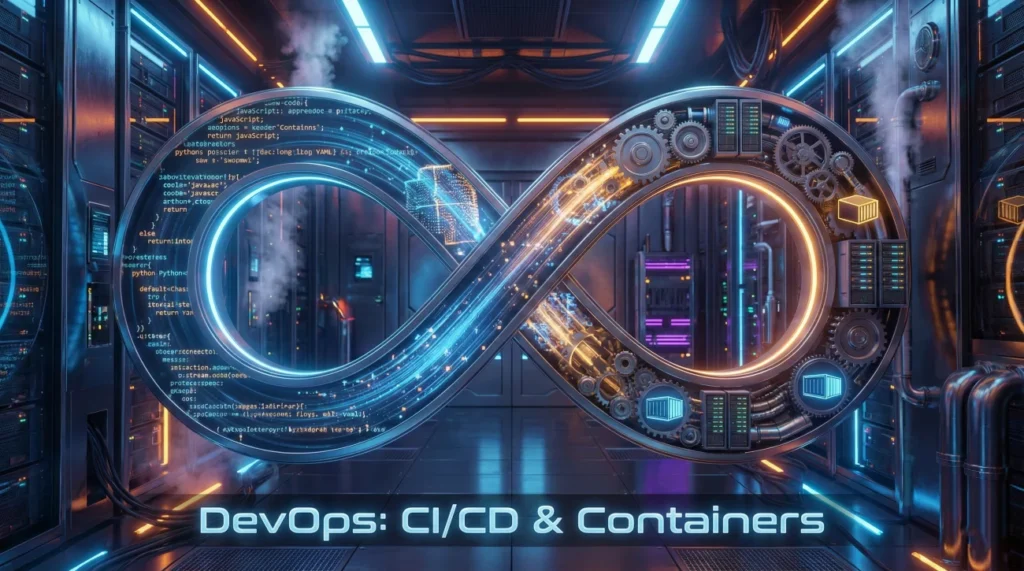
DevOps interviews test automation and infrastructure skills over manual operations knowledge. Companies probe how you build CI/CD pipelines automating code through production, manage infrastructure as code ensuring reproducibility, containerize applications for consistent deployment, orchestrate containers at scale, and collaborate between development and operations teams. This article covers fundamentals tested in devops engineer interview questions: CI/CD automation, Infrastructure as Code with Terraform, Docker containerization, deployment strategies, and environment management.
You’ll learn how DevOps bridges development and operations, automate build-test-deploy cycles, define infrastructure declaratively with code, package applications in containers, and manage multiple environments consistently. Understanding technical interview fundamentals helps, but this focuses on CI/CD pipeline design and infrastructure automation, not deep SRE topics like SLOs or incident leadership covered elsewhere.
CI/CD Pipeline Design and Automation
Building effective CI/CD pipelines requires understanding automation at each stage from commit to production deployment.
CI/CD Fundamentals
Q: What is CI/CD and why does it matter?
Continuous Integration (CI): developers commit code frequently to shared repository. Automated builds and tests run on every commit. Catches integration issues early. Continuous Deployment (CD): code passing all tests automatically deploys to production. Reduces manual intervention, faster releases. Continuous Delivery: automated deployment to staging, manual approval for production. Benefits: faster feedback, smaller changes easier to debug, automated testing catches regressions, consistent deployment process, reduced time-to-market. Without CI/CD: manual deployments error-prone, integration nightmares, slow release cycles.
Q: What stages typically exist in a CI/CD pipeline?
Source stage: code committed triggers pipeline. Build stage: compile code, create artifacts, generate container images. Test stages: unit tests (fast, isolated), integration tests (component interactions), end-to-end tests (full workflow). Security scanning: static analysis (SAST), dependency scanning, container vulnerability scanning. Staging deployment: deploy to pre-production environment. Approval gate: manual or automated checks before production. Production deployment: release to live environment. Post-deployment: smoke tests verify deployment success. Each stage gates next stage: failures stop pipeline preventing bad code reaching production.
Q: How do you implement CI/CD pipelines?
Choose platform: Jenkins (self-hosted, flexible), GitLab CI/CD (integrated with Git), GitHub Actions (cloud-native), CircleCI (cloud-based). Define pipeline as code: Jenkinsfile, .gitlab-ci.yml, GitHub Actions workflows. Configuration in version control alongside application code. Configure triggers: push to branches, pull requests, scheduled runs. Set up build agents: runners execute pipeline jobs. Integrate tools: testing frameworks, security scanners, deployment tools. Store secrets securely: use platform secret management, never hardcode credentials. Monitor pipeline execution: track success rates, identify bottlenecks, optimize slow stages.
Q: What’s your approach to testing in CI/CD pipelines?
Test pyramid: many fast unit tests, fewer integration tests, minimal slow end-to-end tests. Run tests in parallel reducing total time. Fast feedback: unit tests run first (seconds), integration tests later (minutes). Quality gates: define coverage thresholds (80%+), enforce code quality metrics. Failed tests block deployment. Test environments: isolated test databases, mock external dependencies, containerized test environments ensure consistency. Flaky tests: investigate and fix immediately, quarantine unstable tests preventing pipeline blockages. Balance speed versus coverage: comprehensive testing without making pipeline too slow.
Infrastructure as Code with Terraform
Managing Infrastructure as Code Terraform enables reproducible, version-controlled infrastructure replacing manual configuration.
Terraform Fundamentals
Q: What is Infrastructure as Code and why use it?
Infrastructure as Code (IaC) defines infrastructure using configuration files instead of manual processes. Terraform, CloudFormation, Ansible manage infrastructure declaratively. Benefits: version control tracks changes, reproducibility recreates identical environments, automation eliminates manual errors, documentation through code, collaboration via pull requests.
Without IaC: manual clicks error-prone, undocumented changes, environments drift over time, difficult disaster recovery, inconsistency across dev/staging/production. IaC treats infrastructure like application code: review changes, test before applying, rollback when needed. Critical for cloud infrastructure managing hundreds of resources.
Q: Explain Terraform’s workflow: init, plan, apply.
terraform init: initializes working directory, downloads required providers (AWS, Azure, GCP plugins), sets up backend for state storage. Run once per directory, safe to run multiple times. terraform plan: shows what Terraform will do without making changes. Generates execution plan comparing desired state (configuration) versus current state (state file). Preview before applying.
terraform apply: executes plan creating, updating, or destroying resources. Prompts for confirmation unless -auto-approve flag used. Updates state file tracking managed resources. terraform destroy: removes all managed infrastructure. Workflow: write configuration → init → plan → review → apply → verify. Always review plan before apply.
Q: What is Terraform state and why does it matter?
State file tracks real infrastructure Terraform manages. Maps configuration to actual resources. Contains resource IDs, metadata, dependencies. Terraform compares desired state (configuration) with current state (state file) determining necessary changes. Without state: Terraform can’t know what exists, would try recreating everything.
Remote state: store in S3, Azure Blob, Terraform Cloud. Enables team collaboration, prevents concurrent modifications with state locking. Local state: stored in terraform.tfstate file, not suitable for teams. Never edit state manually. Use terraform state commands for modifications. State contains sensitive data: secure storage, encryption, access control required.
Q: How do you manage multiple environments with Terraform?
Workspaces: terraform workspace new dev creates separate state files per environment. Simple but limited. Directory structure: separate directories for dev/staging/prod, each with own state file, variables. Module reuse: shared modules define infrastructure, environment-specific variables customize. Variable files: dev.tfvars, prod.tfvars parameterize configurations. Remote state per environment prevents accidental production changes. Environment isolation critical: test infrastructure changes in dev before production application.
Docker and Container Orchestration
Understanding container orchestration basics means knowing how to package, deploy, and manage containerized applications.
Docker Containerization
Q: What are containers and why use them?
Containers package application with dependencies (libraries, runtime, system tools) into isolated unit. Share host OS kernel unlike virtual machines. Lightweight: start in seconds versus minutes for VMs. Consistent: runs identically across laptop, test, production. Docker most popular container platform. Benefits: environment consistency (“works on my machine” eliminated), resource efficiency (many containers per host), fast startup, scalability, microservices architecture enablement. Dockerfile defines container image: instructions building reproducible images.
Q: Explain Docker architecture: images, containers, registries.
Image: read-only template containing application and dependencies. Built from Dockerfile. Layered filesystem enables efficient storage and distribution. Container: running instance of image. Isolated process with own filesystem, network, resources. Multiple containers from same image. Registry: stores and distributes images. Docker Hub public registry, private registries (AWS ECR, Azure ACR, Harbor) for internal images. Workflow: write Dockerfile → build image → push to registry → pull on servers → run containers. Version images with tags: app:1.2.3, app:latest.
Q: How do you optimize Docker images for production?
Multi-stage builds: separate build and runtime stages reducing final image size. Use smaller base images: Alpine Linux (5MB) versus Ubuntu (80MB). Remove build dependencies from final image. Minimize layers: combine RUN commands, clean package caches. .dockerignore file excludes unnecessary files. Security: scan for vulnerabilities, use official base images, run as non-root user, keep images updated. Layer caching: order Dockerfile instructions from least to most frequently changed speeding rebuilds. Example: COPY requirements first, install dependencies, then COPY application code.
Q: What is container orchestration and when do you need it?
Orchestration manages multiple containers across multiple hosts. Handles: deployment automation, scaling (horizontal scaling adding containers), load balancing, service discovery, health monitoring, rolling updates, rollback on failures. Kubernetes most popular orchestrator. Use when: running many containers, need high availability, require scaling, managing microservices. Overkill for single application on one server. Docker Compose sufficient for local development and small deployments. Production workloads benefit from orchestration: automatic recovery, zero-downtime deployments, efficient resource utilization.
Deployment Strategies and Environment Management
Implementing effective deployment automation strategies minimizes downtime and risk during releases.
Deployment Patterns
What deployment strategies minimize downtime and risk?
Blue-green deployment: two identical environments (blue=current, green=new). Deploy to green, test thoroughly, switch traffic via load balancer. Instant rollback switching back. Zero downtime but requires double infrastructure.
Rolling deployment: gradually replace old instances with new. Update 25% instances, verify health, continue until complete. Slower but uses existing infrastructure. Canary deployment: route small percentage (5%) traffic to new version. Monitor metrics, gradually increase if successful. Early problem detection with limited user impact. Choose based on risk tolerance, infrastructure cost, complexity tolerance.
How do you manage environment configuration in DevOps?
Environment variables: store configuration outside code. Different values per environment (dev/staging/prod). Never hardcode secrets. Secret management: HashiCorp Vault, AWS Secrets Manager, Azure Key Vault store sensitive data. Rotate regularly, audit access.
Configuration as code: Terraform manages infrastructure config, Helm charts parameterize Kubernetes deployments. Environment-specific files: config.dev.yaml, config.prod.yaml. Version control all configuration. Immutable infrastructure: never modify running systems, deploy new instances with updated config. Consistency across environments: use same configuration mechanism everywhere preventing environment-specific bugs.
How do you implement rollback strategies?
Version everything: tag container images (app:v1.2.3), version Terraform modules, commit Git SHA in artifacts. Automated health checks: monitoring detects deployment issues triggering automatic rollback. Manual rollback capability: documented process, tested regularly.
Database migrations challenge: support backward compatibility across versions. Blue-green deployments enable quick rollback. Container orchestration (Kubernetes) provides declarative rollback: kubectl rollout undo reverts to previous version. Test rollback procedures regularly during disaster recovery drills. Fast rollback more important than preventing all issues.
DevOps Automation Quiz
20 Practice Questions
1. What does CI/CD stand for?
- Code Integration/Code Deployment
- Continuous Integration/Continuous Deployment
- Container Integration/Container Distribution
- Cloud Infrastructure/Cloud Development
2. Which Terraform command shows planned changes without applying them?
- terraform apply
- terraform plan
- terraform init
- terraform validate
3. What is a Docker image?
- Running container instance
- Read-only template for creating containers
- Container registry
- Dockerfile source code
4. In blue-green deployment, what happens during cutover?
- Gradual traffic shift
- Instant traffic switch via load balancer
- Delete old version
- Manual testing phase
5. What is Infrastructure as Code?
- Writing application code
- Managing infrastructure using configuration files
- Manual server setup
- Cloud console automation
6. Where should Terraform state be stored for team collaboration?
- Local file only
- Remote backend (S3, Azure Blob, Terraform Cloud)
- Git repository
- Developer laptops
7. What is the purpose of multi-stage Docker builds?
- Run multiple containers
- Reduce final image size by separating build and runtime
- Deploy to multiple environments
- Increase build speed
8. In CI/CD, what is a quality gate?
- Physical security checkpoint
- Automated check that must pass before proceeding
- Manual code review
- Production deployment
9. What does canary deployment mean?
- Deploy during night hours
- Route small traffic percentage to new version first
- Instant full deployment
- Deploy to test environment only
10. Which file defines how to build a Docker image?
- docker-compose.yml
- Dockerfile
- package.json
- .dockerignore
11. What is the test pyramid concept in CI/CD?
- Equal number of all test types
- Many unit tests, fewer integration, minimal end-to-end
- Only integration tests needed
- Manual testing at bottom
12. In Terraform, what are providers?
- State storage backends
- Plugins that interact with cloud platforms (AWS, Azure, GCP)
- Variable files
- Module repositories
13. What advantage do containers have over virtual machines?
- Better security
- Lighter weight and faster startup
- Complete OS isolation
- No dependencies needed
14. What is rolling deployment?
- All instances updated simultaneously
- Gradually replace instances with new version
- Rollback previous deployment
- Deploy during rolling window
15. Where should secrets be stored in DevOps workflows?
- Git repository
- Dockerfile
- Secret management tools (Vault, AWS Secrets Manager)
- Configuration files
16. What does terraform init do?
- Creates new resources
- Initializes directory and downloads providers
- Applies changes
- Destroys infrastructure
17. What is a Docker registry?
- Container runtime environment
- Storage and distribution system for images
- Orchestration platform
- Build system
18. In CI/CD, when should tests run?
- Only before production
- On every code commit
- Weekly scheduled
- Only when requested manually
19. What is immutable infrastructure?
- Infrastructure that never changes
- Replace servers instead of modifying them
- Read-only filesystems
- Permanent cloud resources
20. Which CI/CD tool is integrated with GitLab?
- Jenkins
- GitLab CI/CD
- CircleCI
- Travis CI
❓ FAQ
🎯 How much coding do DevOps engineers need to know?
Scripting essential: Bash for automation, Python for tooling. Understanding application code helps but deep programming skills less critical. Focus on automation tools, infrastructure concepts, cloud platforms. Build CI/CD pipelines and Infrastructure as Code projects demonstrating automation abilities.
💼 Do DevOps interviews include hands-on exercises?
Expect practical tasks: write Terraform configurations, create Dockerfiles, build CI/CD pipelines. Some companies provide take-home projects deploying applications to cloud. Demonstrate understanding through actual automation, not just theory. GitHub portfolio with real projects helps significantly.
⏰ Should I learn Jenkins or GitHub Actions for CI/CD?
Learn both concepts transferable between platforms. GitHub Actions growing rapidly, easier to start. Jenkins more common in enterprises, highly customizable. Core principles same: pipeline as code, automated testing, deployment automation. Master one thoroughly, understand others exist.
📋 What cloud platform should DevOps engineers focus on?
AWS most popular in job market. Azure growing in enterprises. GCP strong in data/ML workloads. Learn one deeply showing end-to-end deployments. Core DevOps concepts (IaC, CI/CD, containers) transfer across clouds. Terraform works with all major providers.
✨ What if I haven’t worked with Kubernetes yet?
Start with Docker fundamentals first. Kubernetes complex but not always required. Many companies use simpler orchestration or managed services. Understand containerization concepts, when orchestration helps. Local Kubernetes (minikube, kind) enables learning without cloud costs. Focus on problems Kubernetes solves.
Final Thoughts
Modern devops engineer interview questions test automation capabilities over manual operation knowledge. Master CI/CD pipeline automation from commit to production, Infrastructure as Code with Terraform managing reproducible environments, Docker containerization ensuring consistent deployments, deployment strategies minimizing downtime and risk, and environment management maintaining configuration consistency. Success requires building end-to-end automation where you create CI/CD pipelines, define infrastructure as code, containerize applications, and implement deployment strategies demonstrating DevOps principles in practice.
⚠️ Disclaimer: The interview strategies, sample answers, and negotiation tips provided in this guide are for educational purposes only. Hiring decisions are subjective and vary by company and industry. While these strategies are based on professional HR standards, they do not guarantee a specific job offer or result.