What UI/UX Designer Interviews Test
UI/UX designer interviews test your mastery of ui ux designer interview questions through design process demonstrating user research translation into wireframes, Figma proficiency creating responsive components with Auto Layout, prototyping skills building interactive flows testing user journeys, design systems knowledge maintaining consistency across platforms, and collaboration effectiveness communicating design decisions to stakeholders. Interviewers probe wireframing methodology translating research insights into low-fidelity layouts, component architecture creating reusable design elements, usability testing conducting sessions gathering actionable feedback, and portfolio presentations explaining design rationale and measurable impact.
This guide covers UI/UX fundamentals including design thinking applying empathy-driven problem-solving, Figma workflows leveraging constraints and variants, prototyping techniques from paper sketches to high-fidelity mockups, and user research conducting interviews synthesizing findings into personas. Explore comprehensive interview preparation at our complete interview guide.
Figma Workflow and Component Design
Q: Explain how you use Figma’s Auto Layout for responsive design.
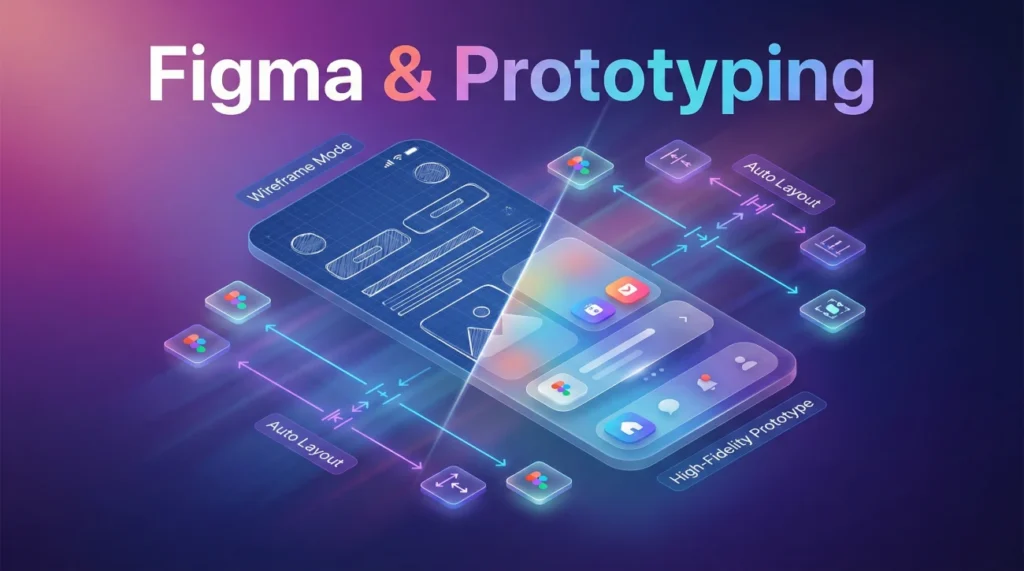
Auto Layout enables responsive designs where elements automatically adjust based on content changes and screen sizes. I use it for creating flexible components like buttons, navigation bars, and card layouts that resize intelligently. Setting padding, spacing, and alignment properties ensures consistent spacing regardless of content length.
Implementation approach:
- Horizontal stacks: Navigation menus with evenly distributed items
- Vertical stacks: Form fields maintaining consistent vertical rhythm
- Nested layouts: Complex components combining horizontal and vertical Auto Layout
- Constraints: Pinning elements to edges controlling resize behavior
I leverage Auto Layout for design systems ensuring components maintain proper spacing when text translates to different languages or when content dynamically updates. This reduces manual adjustments during responsive design and ensures consistency across breakpoints from mobile to desktop.
Q: How do you organize and maintain a design system in Figma?
Design system organization requires structured file architecture with clear naming conventions and component libraries. I create separate pages for foundations including color styles, typography scales, spacing tokens, and elevation shadows. Components organized by category: buttons, forms, navigation, cards, modals with variants covering all states.
Maintenance strategies:
- Component variants: Single component with properties for size, state, type
- Shared libraries: Publishing team libraries ensuring consistency across projects
- Documentation: Adding descriptions explaining usage guidelines and accessibility requirements
- Version control: Using branching for testing changes before updating main library
I implement naming conventions like Component/Variant/State enabling easy searching and maintaining clear hierarchy. Regular audits identify unused components and inconsistencies. Publishing updates with detailed changelogs helps teams adopt new versions smoothly.
Q: Walk me through creating an interactive prototype in Figma.
Interactive prototyping starts with defining user flows identifying key interactions and transitions between screens. I use Figma’s prototype mode connecting frames with interaction arrows, specifying triggers including on click, on hover, while hovering, and on drag. Animation settings using Smart Animate create smooth transitions for micro-interactions.
Prototyping workflow:
- Flow definition: Mapping primary user journey from entry to completion
- Interaction design: Adding hotspots for buttons, links, form interactions
- Transitions: Choosing appropriate animations like dissolve, slide, push
- Device preview: Testing prototype on actual device sizes validating experience
I create component variants for interactive states like hover, active, disabled enabling state changes within single screen. Overflow scrolling configured for long content areas simulating realistic behavior. I share prototypes with stakeholders using presentation view hiding Figma interface for focused feedback sessions.
Q: How do you handle design handoff to developers using Figma?
Design handoff requires clear communication through comprehensive documentation and developer-friendly organization. I use Figma’s Dev Mode enabling developers to inspect designs, copy CSS properties, and export assets at correct resolutions. Annotating designs with interaction notes, edge cases, and responsive behavior clarifies implementation requirements.
Handoff best practices:
- Naming consistency: Using class-friendly names matching development conventions
- Component documentation: Explaining component behavior and required props
- Spacing tokens: Using 8px grid system aligning with CSS frameworks
- Asset preparation: Exporting icons as SVG, images at 2x and 3x for retina displays
I conduct handoff meetings walking developers through complex interactions and answering questions about responsive behavior. Using plugins like Zeplin or commenting directly in Figma maintains communication throughout implementation. I validate final implementation against designs ensuring pixel-perfect execution.
Prototyping and Wireframing Process
Q: Describe your wireframing process from low to high fidelity.
Wireframing progresses iteratively from rough sketches to detailed layouts. I start with paper sketches rapidly exploring multiple layout options without digital tools slowing ideation. Low-fidelity wireframes focus on information architecture, content hierarchy, and user flow using grayscale boxes and placeholder text avoiding visual design distractions.
Mid-fidelity wireframes add realistic content, refined spacing, and basic UI patterns helping stakeholders visualize structure. High-fidelity wireframes incorporate actual typography, accurate spacing, and detailed components closely resembling final design. Each fidelity level serves specific purpose: low for exploration, mid for alignment, high for developer handoff and usability testing.
Q: How do you incorporate user research findings into wireframes?
User research translation requires systematic analysis identifying patterns in user behavior and pain points. I review interview transcripts highlighting repeated themes, create affinity diagrams grouping related insights, and prioritize features based on user needs versus business goals. Personas and user journey maps guide wireframe decisions ensuring designs address real problems.
For e-commerce redesign, research revealed users abandoned checkout due to unexpected shipping costs. I wireframed shipping calculator on product pages displaying total cost upfront, reducing cart abandonment by addressing identified friction point. Task analysis from usability tests informs element placement positioning frequently used actions prominently matching mental models.
Q: What’s your approach to prototyping for usability testing?
Usability testing prototypes require appropriate fidelity balancing realism with development speed. For early-stage testing, I create paper prototypes or clickable wireframes focusing on user flow and information architecture. Mid-stage testing uses interactive Figma prototypes with realistic content testing comprehension and navigation patterns.
I define specific tasks for participants like “Find and purchase running shoes under $100” measuring success rate, time on task, and error frequency. Prototype includes all necessary screens for task completion avoiding dead ends frustrating participants. I prepare both mobile and desktop versions when testing responsive designs ensuring cross-device consistency validated through observation.
Q: How do you balance stakeholder feedback with user needs in prototyping?
Balancing stakeholder requests with user needs requires data-driven advocacy and compromise. When stakeholders request features contradicting user research, I present evidence from usability tests, analytics, and competitive analysis demonstrating potential impact. I propose A/B testing controversial features measuring actual user behavior versus assumptions.
I create multiple prototype variations exploring different approaches addressing both stakeholder goals and user needs. Facilitated design workshops with stakeholders reviewing user research findings build empathy for users aligning everyone around user-centered solutions. Clear prioritization frameworks weighing business value against user impact guide difficult trade-off decisions.
User Research and Design Thinking
Walk me through your user research methodology.
User research begins with defining research objectives aligned with project goals and identifying what we need to learn about users. I combine qualitative methods like user interviews understanding motivations and pain points, with quantitative methods like surveys gathering statistically significant data about preferences and behaviors. Contextual inquiry observing users in natural environment reveals unspoken needs and workarounds.
I recruit participants matching target demographics using screening surveys ensuring diverse representation. Interview questions follow semi-structured format allowing flexibility exploring unexpected insights while covering key topics. I record sessions with permission, take detailed notes, and synthesize findings using affinity mapping identifying patterns across participants. Research deliverables include personas, journey maps, and actionable recommendations informing design decisions.
How do you apply design thinking in your process?
Design thinking provides human-centered framework through five stages: empathize, define, ideate, prototype, test. Empathy phase involves deep user research understanding context and emotions not just stated needs. Define phase synthesizes research into clear problem statement using “How might we” questions framing challenges as opportunities.
Ideation encourages divergent thinking generating many solutions before converging on promising concepts. I facilitate brainstorming sessions with cross-functional teams using techniques like Crazy Eights rapidly sketching eight ideas in eight minutes. Prototyping makes ideas tangible for testing starting low-fidelity progressing to high-fidelity based on feedback. Testing validates assumptions iterating designs based on real user behavior maintaining focus on solving actual problems not assumed ones.
Describe conducting and analyzing usability tests.
Usability testing involves observing users attempting realistic tasks while thinking aloud verbalizing their thought process. I prepare test script with specific tasks measuring completion rate, time on task, and error frequency. Testing sessions typically 45-60 minutes with 5-8 participants uncovering most critical issues following Jakob Nielsen’s recommendation.
During sessions, I observe without interfering allowing users to struggle revealing genuine pain points. I note verbal feedback, facial expressions, mouse movements, and hesitations indicating confusion. Analysis involves categorizing issues by severity: critical blockers preventing task completion, major frustrations causing errors, minor annoyances affecting satisfaction. I prioritize fixes based on frequency and impact creating actionable recommendations with supporting evidence from recordings and quotes.
Portfolio and Design Communication
Q: How should I present a design project in my portfolio?
Portfolio case studies require storytelling demonstrating design process not just final visuals. I structure presentations with problem statement establishing context and constraints, research methodology explaining how user insights informed decisions, design exploration showing iteration and rationale, final solution with supporting evidence, and measurable impact quantifying results when possible.
Presentation elements:
- Before/after: Showing transformation and improvements achieved
- Process artifacts: Including sketches, wireframes, user flows demonstrating thinking
- User quotes: Adding qualitative evidence from research and testing
- Metrics: Displaying conversion rate improvements, task completion increases
I avoid overwhelming viewers with every screen instead highlighting key decisions and interesting challenges solved. Context about team size, timeline, and my specific contributions sets realistic expectations. Including failed experiments showing learning from mistakes demonstrates authentic design process.
Q: How do you explain design decisions to non-designers?
Design communication requires translating visual choices into business impact and user benefits. I avoid jargon focusing on outcomes: instead of discussing information hierarchy, I explain how layout guides users to complete tasks faster. I connect design decisions to business goals showing how improved usability increases conversions or reduces support costs.
Communication strategies:
- Visual comparisons: Showing alternatives explaining why chosen approach superior
- User stories: Narrating specific user scenarios design addresses
- Data support: Referencing usability test results or analytics validating decisions
- Analogies: Relating design concepts to familiar experiences outside technology
I present prototypes enabling stakeholders to interact with designs experiencing user perspective firsthand. Facilitating collaborative sessions where stakeholders try completing tasks reveals design clarity naturally. I document decisions in shared spaces creating reference for future discussions and maintaining alignment.
Q: What’s your approach to design critiques and feedback?
Design critiques require psychological safety where team members give honest feedback constructively. I frame critiques around objectives asking “Does this design help users complete their goal efficiently?” versus subjective preferences. Separating personal taste from user needs focuses discussion on effectiveness not aesthetics.
Critique best practices:
- Context setting: Explaining design goals and constraints before showing work
- Specific feedback: Requesting targeted input on particular aspects needing help
- Question framework: Asking “What confuses you?” versus “Do you like it?”
- Action items: Documenting feedback with clear next steps avoiding repeated discussions
I receive feedback with open mind defending decisions when backed by research but remaining flexible when better solutions emerge. I provide feedback to others starting with strengths before suggesting improvements. Regular critique sessions normalize feedback as design improvement tool not personal criticism.
Q: How do you stay current with design trends and tools?
Continuous learning requires deliberate time investment and diverse information sources. I follow design publications like Nielsen Norman Group, Smashing Magazine, and UX Collective reading case studies and research findings. I participate in design communities on Dribbble, Behance, and Figma Community studying innovative approaches and emerging patterns.
Learning strategies:
- Side projects: Experimenting with new tools and techniques without client pressure
- Design systems study: Analyzing systems like Material Design, Fluent, Carbon
- Conference attendance: Learning from industry leaders and networking with peers
- Skill diversification: Exploring adjacent areas like front-end development, motion design
I balance trend awareness with timeless principles avoiding adopting every trend uncritically. I evaluate new tools and techniques asking whether they solve real problems or just add complexity. Teaching others through presentations or mentoring reinforces my own understanding while contributing to design community.
UI/UX Design Fundamentals Test
20 Practice Questions
1. What does Auto Layout in Figma automatically adjust?
- Color schemes only
- Element spacing and sizing based on content
- Typography styles
- Image resolution
2. Low-fidelity wireframes primarily focus on?
- Visual design and branding
- Layout structure and information hierarchy
- Final color schemes
- Pixel-perfect spacing
3. In design thinking, which stage comes first?
- Prototype
- Empathize
- Ideate
- Test
4. Figma components differ from instances how?
- Components are main reusable elements, instances are copies
- They are exactly the same
- Instances cannot be customized
- Components are temporary
5. How many users typically needed for usability testing to find most issues?
- 2-3 users
- 5-8 users
- 20-30 users
- 100+ users
6. User personas are created from?
- Designer assumptions
- User research data and interviews
- Competitor analysis only
- Marketing demographics
7. Smart Animate in Figma works best when?
- Frames are completely different
- Layers share same names between frames
- Using random layer names
- Deleting all layers
8. What’s primary purpose of journey mapping?
- Creating visual designs
- Visualizing user experience across touchpoints
- Writing code specifications
- Budget planning
9. Constraints in Figma control?
- Color opacity
- How elements resize within frames
- Text content length
- File sharing permissions
10. A/B testing in UX design compares?
- Two design variations to determine which performs better
- Designer skills against developer skills
- Old product versus competitor
- Budget estimates
11. Information architecture primarily deals with?
- Visual aesthetics
- Content organization and navigation structure
- Animation timing
- Color psychology
12. Component variants in Figma enable?
- Different file formats
- Multiple states within single component
- Version control
- Team permissions
13. Heuristic evaluation assesses designs against?
- Personal preferences
- Established usability principles
- Competitor features
- Budget constraints
14. Affinity diagramming helps with?
- Grouping and organizing research insights
- Creating wireframes
- Coding prototypes
- Budget allocation
15. Figma’s Dev Mode primarily helps?
- Designers create mockups
- Developers inspect designs and export assets
- Project managers track tasks
- Marketing teams review copy
16. Card sorting user research method determines?
- Visual design preferences
- How users categorize and organize information
- Animation preferences
- Color scheme choices
17. Design systems ensure?
- Projects finish faster
- Consistency and scalability across products
- Lower development costs only
- Automatic user testing
18. Accessibility in UX design focuses on?
- Making products cheaper
- Ensuring usability for people with disabilities
- Faster loading times
- Smaller file sizes
19. Contextual inquiry involves?
- Laboratory usability testing
- Observing users in their natural environment
- Online surveys only
- Competitor analysis
20. Responsive design ensures?
- Fast server response times
- Layouts adapt across different screen sizes
- Quick customer support
- Automated testing
❓ FAQ
🎯 Do I need coding skills for UI/UX design roles?
Coding skills provide advantage but aren’t required for most UI/UX positions. Understanding HTML/CSS fundamentals helps communicate effectively with developers and create more realistic designs respecting technical constraints. Knowledge of responsive frameworks and browser limitations improves handoff quality. However, focus should remain on user research, wireframing, prototyping, and design thinking skills forming core competencies. Companies value design thinking and user empathy more than coding ability, though technical knowledge strengthens collaboration with development teams.
💼 Which design tools should I master for interviews?
Figma dominates modern UI/UX workflows with real-time collaboration and comprehensive prototyping features appearing in most job descriptions. Master Figma’s Auto Layout, components, variants, and prototyping capabilities demonstrating production-ready skills. Adobe XD and Sketch remain relevant in some organizations but declining compared to Figma’s growth. Learn complementary tools like Miro for workshops, Maze for usability testing, and FigJam for brainstorming. Tool proficiency matters less than design thinking and process; strong portfolios showing solid methodology overcome tool preferences.
📊 How many portfolio projects should I include?
Quality over quantity: 3-5 well-documented case studies outperform 10+ superficial projects. Each case study should demonstrate complete design process from research through testing with clear problem statement, methodology, iterations, and measurable outcomes. Include diverse project types showing range: responsive web design, mobile app, design system, or redesign project. Personal projects acceptable when lacking professional work but should follow rigorous process including user research and testing. Tailor portfolio to target role emphasizing relevant skills and domain experience.
🔧 What’s difference between UI and UX design?
UX design focuses on overall user experience including research, information architecture, user flows, and wireframing solving user problems through strategic design decisions. UI design concentrates on visual interface including typography, color schemes, spacing, and interactive elements creating aesthetically pleasing implementations. UX comes first establishing structure and functionality, UI follows adding visual polish. Many roles combine both responsibilities requiring wireframing through visual design skills. Smaller companies expect generalists handling entire process while larger organizations separate specialized UX researchers, interaction designers, and visual designers.
🎓 What certifications help UI/UX design careers?
Google UX Design Professional Certificate provides comprehensive curriculum covering research, wireframing, prototyping, and usability testing suitable for beginners. Nielsen Norman Group certifications demonstrate deep UX knowledge though expensive compared to alternatives. Interaction Design Foundation offers affordable courses covering specialized topics. However, strong portfolio demonstrating real project work matters more than certifications during interviews. Invest in building diverse portfolio through freelance projects, redesign exercises, or personal apps before pursuing certifications. Focus on mastering Figma, conducting user research, and creating compelling case studies documenting your process.
Final Thoughts
Success with ui ux designer interview questions requires demonstrating user-centered design process through portfolio case studies showing research translation into wireframes and validated through testing. Master Figma workflows creating responsive components with Auto Layout, variants managing component states, and prototyping building interactive flows testing user journeys. Companies value designers who balance user needs with business goals, communicate design decisions clearly to stakeholders, and iterate based on feedback from usability testing. Prepare by building diverse portfolio showing complete design process from problem definition through measurable impact, practice explaining design rationale connecting visual choices to user research findings, and stay current with design systems studying industry leaders like Material Design and Apple’s Human Interface Guidelines demonstrating comprehensive understanding of modern UI/UX practices.
⚠️ Disclaimer: The interview strategies, sample answers, and negotiation tips provided in this guide are for educational purposes only. Hiring decisions are subjective and vary by company and industry. While these strategies are based on professional HR standards, they do not guarantee a specific job offer or result.