What C# Developer Interviews Test
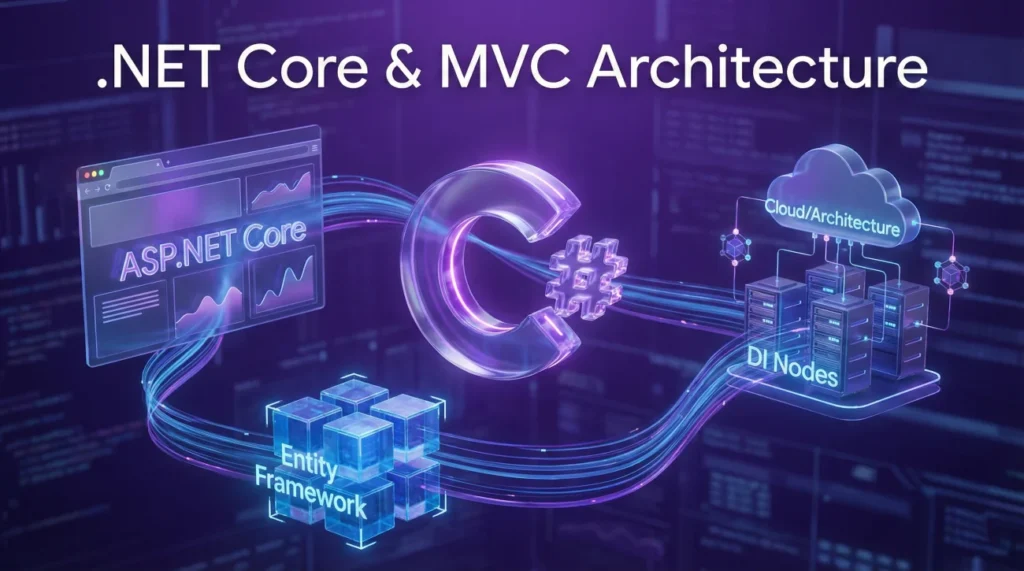
C# developer interviews test your mastery of c# developer interview questions through async/await pattern implementation, LINQ query optimization, ASP.NET MVC architecture understanding, Entity Framework ORM proficiency, and .NET Core cross-platform development. Interviewers probe asynchronous programming preventing thread blocking, LINQ deferred execution with IQueryable versus IEnumerable, MVC separation of concerns through controllers and views, EF migrations managing schema changes, and dependency injection promoting loose coupling.
This guide covers .NET Core fundamentals including CLR and garbage collection, async/await asynchronous programming patterns, LINQ language-integrated queries for data manipulation, ASP.NET MVC web framework architecture, and Entity Framework for database access without raw SQL. Modern C# development emphasizes cross-platform capabilities targeting Windows, Linux, and macOS, performant async operations avoiding blocking calls, and clean architecture with dependency injection containers. Explore comprehensive technical preparation at our complete interview guide.
.NET Core Fundamentals
Q: What’s the difference between .NET Framework and .NET Core?
.NET Framework is Windows-only platform for desktop and web applications with full Windows API access. .NET Core is cross-platform, open-source framework running on Windows, Linux, and macOS supporting modern cloud-based and containerized architectures. From .NET 5 onwards, both unified into single platform called simply .NET.
Key differences:
- .NET Core is modular and lightweight with NuGet packages
- Better performance with optimized runtime and libraries
- Side-by-side versioning allowing multiple versions
- Built-in dependency injection and configuration
.NET Core supports microservices, containers, and cloud deployment better than Framework making it preferred choice for new applications.
Q: Explain the Common Language Runtime (CLR) and its responsibilities.
CLR is execution environment for .NET applications providing runtime services. Responsibilities include:
- Memory Management: Automatic garbage collection reclaiming unused objects
- Type Safety: Enforcing type checking preventing invalid operations
- Exception Handling: Structured exception handling with try-catch-finally
- JIT Compilation: Just-In-Time compiling IL code to native machine code
- Security: Code access security and verification
C# code compiles to Intermediate Language (IL), stored in assemblies (.dll or .exe). At runtime, JIT compiler converts IL to native code for specific platform enabling cross-platform execution.
Q: How does garbage collection work in .NET?
Garbage collector automatically manages memory using generational approach dividing heap into three generations:
- Generation 0: Short-lived objects, collected frequently
- Generation 1: Buffer between short and long-lived objects
- Generation 2: Long-lived objects like static data, collected rarely
GC process involves marking reachable objects from roots (static fields, local variables, CPU registers), then compacting memory moving reachable objects together reducing fragmentation. Objects surviving Gen 0 collection promoted to Gen 1, survivors of Gen 1 promoted to Gen 2. Gen 2 collection is full collection being most expensive.
Developers influence GC using IDisposable pattern for unmanaged resources: implement Dispose() method releasing resources explicitly rather than waiting for finalizer.
Q: What is dependency injection and how does .NET Core implement it?
Dependency Injection (DI) provides object dependencies from external source rather than creating them internally, promoting loose coupling and testability. .NET Core has built-in DI container in IServiceCollection.
Service lifetimes:
- Transient: New instance created each request
- Scoped: Single instance per request/scope
- Singleton: Single instance for application lifetime
Example: services.AddTransient<IMyService, MyService>(); registers service.
Constructor injection: public MyController(IMyService service) { _service = service; }.
Framework automatically resolves and injects dependencies.
Async/Await Programming
Q: How do async and await keywords work in C#?
async marks method as asynchronous enabling await keyword usage. await pauses method execution until awaited task completes, yielding control back to caller without blocking thread. This enables non-blocking I/O operations improving application responsiveness.
Example: public async Task<string> FetchDataAsync() { await Task.Delay(1000); return "Data"; }.
Method executes synchronously until first await, then returns Task to caller. When awaited task completes, continuation resumes on captured synchronization context (UI thread for desktop apps).
Async methods return Task or Task<T> representing ongoing operation. Never use async void except event handlers as exceptions cannot be caught by caller.
Q: What’s the difference between Task and Thread?
Thread represents actual OS-level thread with dedicated stack and resources. Task is higher-level abstraction representing asynchronous operation managed by Task Parallel Library (TPL). Tasks use thread pool threads avoiding overhead of creating new threads for each operation.
Task advantages:
- Better resource management reusing thread pool threads
- Composability with continuations and async/await
- Exception handling through Task object
- Cancellation support via CancellationToken
Use Tasks for asynchronous programming. Use Threads only when needing precise thread control like setting priority or managing thread-specific storage.
Q: What is ConfigureAwait and when should you use it?
ConfigureAwait(false) tells await not to capture and resume on original synchronization context. By default, await captures context (UI thread or ASP.NET request context) resuming continuation on same context.
Example: await SomeMethodAsync().ConfigureAwait(false); allows continuation on any thread pool thread improving performance and avoiding deadlocks.
Use ConfigureAwait(false) in library code or backend services where context doesn’t matter. Never use in UI code where you need to update UI controls requiring original thread. In ASP.NET Core, context capturing is unnecessary as there’s no synchronization context making ConfigureAwait less critical.
Q: How do you handle exceptions in async methods?
Exceptions in async methods are captured and placed on returned Task. Use try-catch around await to handle exceptions: try { await MethodAsync(); } catch (Exception ex) { }. Exception thrown when Task is awaited, not when method called.
For fire-and-forget scenarios where Task not awaited, exceptions go unobserved causing application termination. Always await Tasks or handle exceptions explicitly. Use TaskScheduler.UnobservedTaskException event as last resort catching unobserved exceptions before process termination.
LINQ and Data Queries
What is LINQ and how does it improve code readability?
LINQ (Language-Integrated Query) provides unified syntax for querying collections, databases, and XML directly in C#. It improves readability by expressing data operations declaratively rather than imperative loops. LINQ uses method syntax with lambda expressions or query syntax resembling SQL.
Example: var results = numbers.Where(n => n > 10).Select(n => n * 2);.
Query syntax: var results = from n in numbers where n > 10 select n * 2;.
Both produce same results but method syntax more flexible for complex operations.
What’s the difference between IEnumerable and IQueryable?
IEnumerable works with in-memory collections executing LINQ queries in memory. IQueryable works with remote data sources like databases, building expression trees translated to SQL or other query languages.
Example: IEnumerable<User> users = dbContext.Users; loads all users into memory then filters.
IQueryable<User> users = dbContext.Users; filters at database level returning only matching records.
Use IQueryable for database queries enabling server-side filtering, sorting, and paging reducing data transfer. Use IEnumerable for in-memory collections or when query already executed.
Explain deferred execution in LINQ.
Deferred execution means LINQ queries don’t execute when defined, only when enumerated (foreach loop, ToList(), Count(), etc.). Query definition creates expression tree executed later when results needed.
Example: var query = numbers.Where(n => n > 10); doesn’t execute.
foreach(var n in query) { } executes query.
If source collection changes between definition and enumeration, query reflects changes. Use ToList() or ToArray() forcing immediate execution capturing snapshot of current data.
ASP.NET MVC and Entity Framework
Q: Explain the MVC pattern and its components.
Model-View-Controller (MVC) separates application into three components:
- Model: Represents data and business logic. Contains entities, validation rules, database operations
- View: Displays data to user. Razor views render HTML using model data
- Controller: Handles user input. Processes requests, updates models, selects views
Flow: User requests route to Controller action method. Controller interacts with Model retrieving or updating data. Controller passes model to View which renders HTML response. This separation enables testability, maintainability, and parallel development of components.
Q: What is Entity Framework and how does it differ from ADO.NET?
Entity Framework (EF) is Object-Relational Mapper (ORM) allowing database interaction using .NET objects instead of SQL queries. EF Core is cross-platform version with better performance.
Comparison:
- ADO.NET: Low-level, manual SQL queries, DataReaders, DataSets. Full control but verbose code
- Entity Framework: High-level, LINQ queries, automatic CRUD operations. Less code but some overhead
Example: EF: var users = dbContext.Users.Where(u => u.Age > 18).ToList();.
ADO.NET requires SqlConnection, SqlCommand, SqlDataReader with manual query construction and data mapping. EF handles this automatically.
Q: What are EF migrations and how do they work?
Migrations manage database schema changes incrementally syncing with model classes. Instead of recreating database, migrations apply changes preserving existing data.
Workflow:
- Modify model classes adding or changing properties
- Run
Add-Migration MigrationNamegenerating migration file with Up and Down methods - Run
Update-Databaseapplying migration to database - Migration history tracked in __EFMigrationsHistory table
Migrations enable version control of database schema, team collaboration, and deployment automation. Rollback using Update-Database PreviousMigration.
Q: Explain middleware in ASP.NET Core.
Middleware components form pipeline processing HTTP requests and responses. Each middleware can:
- Process request before passing to next middleware
- Process response after receiving from next middleware
- Short-circuit pipeline by not calling next middleware
Example: app.UseAuthentication(); adds authentication middleware.
app.UseRouting(); adds routing.
app.UseEndpoints(); adds endpoint execution.
Order matters as middleware executes in sequence registered.
Custom middleware: app.Use(async (context, next) => { // before; await next(); // after; });. Middleware enables cross-cutting concerns like logging, authentication, error handling applied globally.
.NET Ecosystem Practice
20 Practice Questions
1. .NET Core runs on which platforms?
- Windows only
- Windows, Linux, macOS
- Windows and Linux only
- macOS only
2. In code async Task Method() { await Task.Delay(100); }, method executes how?
- Synchronously to completion
- Until await, then returns Task to caller
- On background thread always
- Blocks calling thread
3. IQueryable is best for?
- In-memory collections
- Database queries with server-side execution
- XML parsing
- File operations
4. CLR stands for?
- Common Library Runtime
- Common Language Runtime
- Core Language Repository
- Compiled Language Runner
5. Garbage collector Generation 0 holds?
- Long-lived objects
- Short-lived objects, collected frequently
- Static objects
- Large objects
6. ConfigureAwait(false) does what?
- Disables await completely
- Doesn’t capture synchronization context
- Forces synchronous execution
- Throws exception
7. MVC Controller responsibility?
- Display HTML only
- Handle input, update model, select view
- Store database connections
- Validate user permissions
8. LINQ deferred execution means?
- Query executes immediately
- Query executes when enumerated (foreach, ToList)
- Query never executes
- Query runs on background thread
9. DI service lifetime Scoped creates instance?
- Once per application
- Once per request/scope
- Every time requested
- Never, it’s abstract
10. Entity Framework migrations command to apply?
- Add-Migration
- Update-Database
- Apply-Migration
- Execute-Migration
11. Task advantages over Thread include?
- More OS resources
- Thread pool reuse, better composability
- Slower execution
- No exception handling
12. In code var query = list.Where(x => x > 5);, when does query execute?
- Immediately at definition
- When enumerated (deferred execution)
- Never
- In background thread
13. ASP.NET Core middleware processes?
- Database queries
- HTTP request/response pipeline
- View rendering only
- Model validation
14. async void should be used for?
- All async methods
- Event handlers only
- Library methods
- Never use async void
15. IEnumerable executes LINQ where?
- On database server
- In memory, client-side
- On web server
- On GPU
16. JIT compiler converts?
- C# to IL
- IL to native machine code
- Native code to IL
- SQL to LINQ
17. EF DbContext represents?
- Single table
- Database session with unit of work
- Connection string
- Migration file
18. Transient DI lifetime creates?
- One instance per app
- New instance each request
- One instance per scope
- No instances
19. await keyword returns control to?
- Background thread
- Caller without blocking
- Main thread always
- Database
20. MVC View responsibility?
- Business logic
- Display data, render HTML
- Handle HTTP requests
- Database operations
❓ FAQ
💻 Should I focus on .NET Framework or .NET Core for interviews?
Focus on .NET Core (.NET 5+) as it’s the future of .NET development with cross-platform support and better performance. Most companies building new applications choose .NET Core for cloud, microservices, and containerized deployments. Legacy enterprise applications still use .NET Framework but new development heavily favors Core. Understand differences between both showing versatility but emphasize Core expertise during preparation.
⚡ How important is async/await knowledge for C# developer roles?
Extremely important for modern C# development especially web APIs, cloud services, and high-performance applications. Async/await enables non-blocking I/O improving scalability and responsiveness. Interviewers test understanding of Task-based patterns, ConfigureAwait usage, and avoiding deadlocks. Practice writing async methods, understand synchronization context, and know when async provides benefit versus overhead. Web development roles particularly emphasize async database and HTTP operations.
🗄️ Do I need deep Entity Framework knowledge or is basic CRUD enough?
Backend roles require solid EF Core knowledge beyond basic CRUD including migrations, relationship configurations, query optimization, and change tracking. Understand eager versus lazy loading preventing N+1 query problems, use AsNoTracking for read-only queries improving performance, and implement repository pattern for testability. Entry-level positions focus on LINQ queries and simple operations while senior roles probe advanced scenarios like handling concurrency conflicts and optimizing database access patterns.
📚 Should I learn ASP.NET MVC or focus on newer technologies like Blazor?
Learn ASP.NET Core MVC first as it remains primary framework for web applications and APIs with widespread industry adoption. MVC fundamentals apply across .NET web technologies. Blazor knowledge demonstrates cutting-edge awareness but fewer production applications currently use it compared to MVC. Most job descriptions require MVC/Razor Pages experience. Once solid with MVC, exploring Blazor shows learning agility and modern framework interest enhancing versatility.
🎯 What certifications help C# developer interviews?
Microsoft Certified: Azure Developer Associate validates cloud development skills increasingly relevant as applications move to Azure. While certifications provide structured learning paths and resume credibility, hands-on project experience often matters more during technical discussions. Build portfolio demonstrating ASP.NET Core APIs, Entity Framework implementations, and async programming patterns. Certifications supplement but don’t replace practical coding ability and problem-solving skills interviewers assess through coding challenges.
Final Thoughts
Success with c# developer interview questions requires combining language fundamentals with framework proficiency demonstrating both C# syntax mastery and .NET ecosystem understanding. Focus on async/await patterns preventing thread blocking through proper Task usage, LINQ query optimization choosing IQueryable for databases and IEnumerable for memory collections, and MVC architecture implementing clean separation between models, views, and controllers. Build practical projects showcasing Entity Framework migrations, dependency injection implementation, and middleware pipeline configuration.
Companies value C# developers who write performant asynchronous code avoiding blocking operations, understand ORM patterns abstracting database access through Entity Framework, and implement clean architecture with dependency injection promoting testability. Your preparation should include mastering CLR fundamentals with garbage collection understanding, async programming with ConfigureAwait and exception handling, LINQ deferred execution concepts, and ASP.NET Core middleware pipeline demonstrating comprehensive .NET development expertise across backend services and web applications.
⚠️ Disclaimer: The interview strategies, sample answers, and negotiation tips provided in this guide are for educational purposes only. Hiring decisions are subjective and vary by company and industry. While these strategies are based on professional HR standards, they do not guarantee a specific job offer or result.