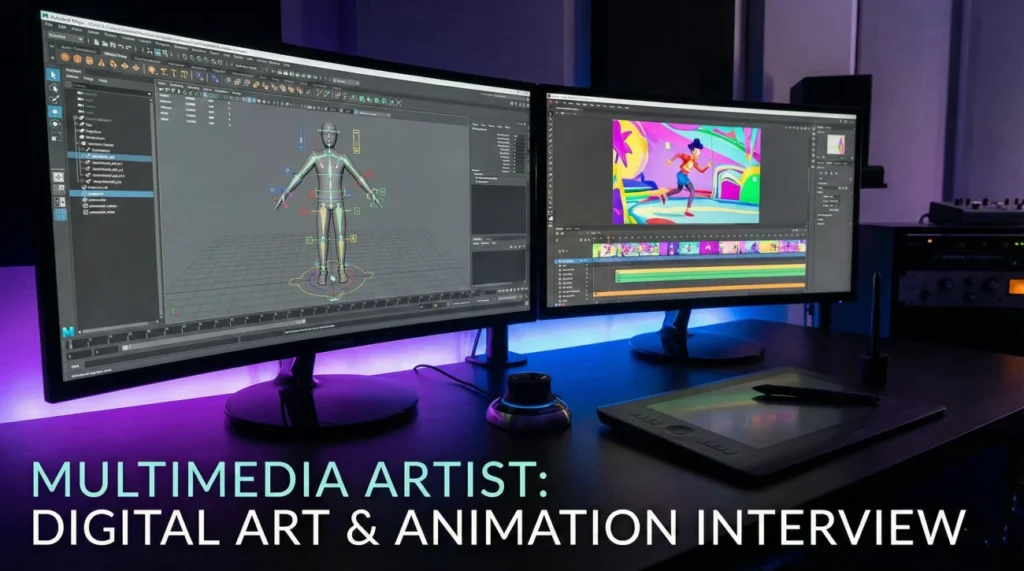
The Renaissance Creative of the Digital Age
Multimedia artist interview questions are designed to find the unicorn candidate who can do it all. Unlike a graphic designer who focuses on static images or a video editor who focuses on timing, a multimedia artist is a hybrid storyteller. They blend audio, video, graphics, and animation to create immersive experiences. Hiring managers are looking for someone who doesn’t just “know the tools” but understands how to choose the right medium for the message. Can you animate a logo, edit a sizzle reel, and design a static social post all in the same week?
The demand is for “Cross-Platform Fluency.” Content needs to live on TikTok, YouTube, billboards, and VR headsets. Interviewers will ask: How do you adapt a 16:9 video for a 9:16 vertical story without losing the narrative? Can you explain your workflow when integrating 3D assets into a 2D composition? How do you manage file sizes and render times on tight deadlines? Your answers must prove that you are a versatile creator who thrives at the intersection of technology and art.
This comprehensive guide helps you render your career success. We explore the art of cross-channel storytelling, the technical mastery of the Adobe Creative Cloud ecosystem, and the soft skills required to collaborate with specialists. Whether you are a generalist in a marketing team or a specialist in a game studio, these strategies will help you frame your skills perfectly.
Creative Process & Storytelling
Q: How do you determine the best medium for a specific project?
I start by asking: “What is the goal and where will it live?” If the goal is brand awareness on Instagram, a 15-second motion graphic loop is more effective than a static image. If the goal is detailed education, an infographic or explainer video works best.
I consider the audience’s attention span and the platform’s constraints. My job is to match the medium to the message to maximize engagement, not just to use cool effects for the sake of it.
Q: Walk me through your workflow for a multimedia project.
I follow a linear pipeline to prevent bottlenecks.
1. Concept/Script: Defining the story.
2. Storyboard/Styleframe: Visualizing key moments.
3. Asset Creation: Drawing vectors, editing audio, or modeling 3D elements.
4. Assembly/Animation: Bringing it together in After Effects or Premiere.
5. Rendering/Export: Optimizing for final delivery.
I get sign-off at each stage (especially Storyboard) to avoid having to re-animate an entire sequence later.
Q: How do you approach storytelling when you have no dialogue?
I rely on “Visual Language.” I use pacing, color changes, and motion to convey emotion. A fast cut creates excitement; a slow zoom creates intimacy.
I also use sound design (SFX) and music heavily. A swell in the score can tell the audience how to feel just as well as a narrator can. I treat audio as 50% of the video experience.
Q: How do you stay organized with assets from multiple sources?
I use a strict folder structure (01_Audio, 02_Video, 03_Graphics, 04_Projects). I name files clearly (Client_Project_Asset_v1) and use “Collect Files” or “Package” features to keep links intact.
I use cloud storage (Dropbox/Drive) for backups. Organization is critical because a missing font or disconnected media file can halt a render hours before a deadline.
Creative Process & Collaboration
A client wants to add a complex 3D element 2 days before the deadline.
I manage expectations immediately. “That’s a great idea, but 3D rendering takes significant time. To hit the deadline, we risk not having enough render time for quality checks.”
I offer alternatives: “Could we achieve a similar look using 2.5D in After Effects (parallax layers)? It’s faster and safer for this timeline.” If they insist, I explain the overtime cost or potential delay, putting the decision (and risk) in their hands.
You receive feedback that your animation “feels weird” but they can’t explain why.
I translate the feedback into technical terms. “Weird” usually means the timing or physics is off. I check my “Easing” (Easy Ease).
I ask: “Does it feel too stiff (linear keyframes)? Or too bouncy?” I might do a quick A/B test with different timing curves to see what feels right to them. I treat their gut feeling as valid data and use my technical skill to fix the underlying mechanics.
You are working with a specialist (e.g., Audio Engineer) on a project.
I respect their expertise. I provide them with a “locked picture” (final edit) so they aren’t mixing audio for video that keeps changing lengths.
I give clear briefs on the mood (“I want it to sound like a sci-fi thriller”). I ask for their input early: “Is this sound effect working with the visual transition?” Collaboration makes the final piece stronger than the sum of its parts.
Technical Tools & Software
Q: What is the “Dynamic Link” workflow in Adobe?
Dynamic Link allows me to use After Effects compositions directly inside Premiere Pro without rendering them out first.
If I update the animation in AE, it automatically updates in the Premiere timeline. This saves massive amounts of time and storage space during the iteration phase.
Q: Explain “Keyframes” to a non-animator.
Keyframes are markers in time that tell the computer “start here” and “end there.”
If I put a keyframe at 0 seconds with the ball on the left, and a keyframe at 2 seconds with the ball on the right, the computer calculates the movement in between (interpolation). They are the anchors of animation.
Q: When do you use Vector vs. Raster for animation?
I use Vector (Illustrator) for logos, text, and flat character design because I can scale them infinitely without pixelation (“Continuously Rasterize”).
I use Raster (Photoshop) for painted backgrounds or textured elements where I need rich detail. Knowing which to import into After Effects is crucial for render quality.
Q: How do you optimize video for web vs. social media?
For Web, I prioritize compression (H.264/H.265) to keep file sizes small for loading speed, often removing audio if it’s a background loop.
For Social, I focus on Aspect Ratio (9:16 for Reels/TikTok, 1:1 or 4:5 for Feed) and ensure text is within the “Safe Zones” so UI elements (like buttons/comments) don’t cover it.
Q: What is “Parallax Scrolling”?
Parallax creates an illusion of depth in a 2D space. The background moves slower than the foreground.
I use this in web design and animation (2.5D) to make scenes feel immersive. It adds production value without the heavy lift of full 3D modeling.
Q: Explain “Alpha Channel.”
An Alpha Channel stores transparency information. An image has RGB channels (colors) and an A channel (what is see-through).
I use this for “Lower Thirds” (text on screen) or overlays. Exporting a video with an Alpha Channel (e.g., ProRes 4444) allows me to place that graphic on top of any footage seamlessly.
Trends & Professional Growth
Q: How do you stay updated with rapidly changing software?
I am a lifelong learner. I watch tutorials on YouTube (channels like Ben Marriott or School of Motion) during lunch.
I subscribe to Adobe’s update logs to see new features (like Roto Brush 3.0 or Text-Based Editing). I allocate 1-2 hours a week to “play” with new tools on non-client work so I am ready to use them when a real project demands it.
Q: How do you incorporate AI (Generative Fill/Midjourney) into your work?
I use AI as a “force multiplier,” not a creator. I use it to generate textures, extend backgrounds, or storyboard concepts quickly.
I do not use it to generate final assets unless specifically asked, due to copyright gray areas. It helps me skip the tedious parts of the process (like roto or clean-up) so I can focus on the creative direction.
Q: What makes a good portfolio for a Multimedia Artist?
A good portfolio shows variety and specialization. It should have a “Showreel” (1-2 minutes max) set to music that highlights my best motion work.
It should also have case studies for static design. I ensure it loads fast and works on mobile. I curate it to show the kind of work I want to do, not just everything I’ve ever done.
Q: Why do you want to work as a Multimedia Artist?
I love the variety. I get bored doing just one thing. Being a Multimedia Artist allows me to be a director, a designer, an editor, and a sound engineer all in one day. I enjoy the challenge of weaving these different disciplines together to tell a cohesive story. I want to create experiences that stop the scroll and make people feel something.
Multimedia Competency Quiz
Take the 20-Question Challenge
1. “FPS” stands for:
- First Person Shooter
- Frames Per Second (Frame Rate)
- Files Per System
- Fast Processing Speed
2. A “Sizzle Reel” is:
- A cooking video
- A short, fast-paced video montage showcasing a brand, product, or portfolio
- A slow documentary
- A sound effect
3. “Rotoscoping” involves:
- Rotating the camera
- Tracing over live-action footage frame-by-frame to create animation or masks
- Recording sound
- Taking photos
4. “Bezier Curves” handle:
- Audio volume
- The smoothness/path of motion between keyframes (creating arcs)
- Color correction
- File saving
5. “MP4” is a container format typically using which codec?
- ProRes
- H.264 (or H.265)
- WAV
- RAW
6. “RGB” is the color mode for:
- Print magazines
- Digital screens and video
- Newspaper
- T-shirt printing
7. “Squash and Stretch” is:
- A yoga pose
- An animation principle that gives weight and flexibility to objects
- A file compression method
- A font style
8. A “Storyboard” is essential for:
- Writing a novel
- Planning the visual sequence of a video/animation before production
- Recording audio
- Editing photos
9. “Rendering” is the process of:
- Drawing a sketch
- The computer calculating and generating the final video/image from the project file
- Deleting files
- Writing code
10. “Aspect Ratio” describes:
- The quality of the video
- The proportional relationship between width and height (e.g., 16:9, 4:3)
- The zoom level
- The file size
11. “Typography” in motion graphics is often called:
- Moving text
- Kinetic Typography
- Fast fonts
- Video words
12. “Ease In / Ease Out” makes animation look:
- Robotic and stiff
- Natural and organic by slowing down at the start/end of movement
- Faster
- Blurry
13. “Lower Third” refers to:
- The bottom 30% of the budget
- A graphic overlay in the lower area of the screen (usually identifying a speaker)
- The floor
- A low quality video
14. “Compositing” involves:
- Writing music
- Combining visual elements from separate sources into a single image (e.g., Green Screen)
- Drawing cartoons
- Printing
15. “UI” stands for:
- Under Interface
- User Interface
- Unique Image
- Universal Internet
16. “Lossless” compression means:
- The file size is huge
- Reducing file size without losing any data/quality
- Losing quality to save space
- Deleting the file
17. “B-Roll” is:
- Bad footage
- Supplemental or alternative footage intercut with the main shot (A-Roll)
- Audio only
- Text only
18. “Hex Code” is used for:
- Video transitions
- Defining specific colors in web/digital design (e.g., #FF0000)
- Audio volume
- 3D modeling
19. A “GIF” is best used for:
- Long movies with sound
- Short, looping animations without sound
- Printed posters
- High-quality photography
20. “Vector” graphics are created in:
- Photoshop
- Illustrator
- Premiere
- Word
❓ FAQ
📜 Do I need to code?
Generally, no. However, knowing basic HTML/CSS helps with web design, and knowing Expressions (JavaScript based) in After Effects is a superpower for automation. It separates the pros from the amateurs.
🎥 Can I just do video editing?
If you apply for a “Video Editor” job, yes. But a “Multimedia Artist” is expected to do more – motion graphics, static design, and maybe some audio. Versatility is the core of this specific title.
💻 Mac or PC?
It depends on the studio. Mac is standard for design agencies. PC is often preferred for heavy 3D/Motion work because you can build more powerful custom rigs (GPUs) for rendering.
🎨 How important is drawing?
It helps with storyboarding and composition, but you don’t need to be a fine artist. Design principles (layout, color, typography) are more important than drawing realistic portraits.
📁 How big should my portfolio be?
Curated. 4-6 strong projects are better than 20 weak ones. Include a reel. Show your process (sketches to final) for at least one project to prove you aren’t just using templates.
Final Thoughts
To secure a position, your answers to multimedia artist interview questions must show that you are a Swiss Army Knife of creativity. Companies need artists who can pivot from video to print to web without missing a beat. By highlighting your cross-channel storytelling skills, your technical adaptability, and your organized workflow, you prove that you are the modern creator they need to capture attention in a noisy digital world.
⚠️ Disclaimer: The interview strategies, sample answers, and negotiation tips provided in this guide are for educational purposes only. Hiring decisions are subjective and vary by company and industry. While these strategies are based on professional HR standards, they do not guarantee a specific job offer or result.